
The first week of a new job often involves information overload and "zero output" anxiety. However, the first weekly report is not just a summary, but a debut demonstration of professionalism. Many newcomers mistakenly write chronological "elementary school diaries"; such running accounts fail to reflect professional value or satisfy management's needs for "safety confirmation" and "progress control." During probation, superiors focus less on immediate revenue and more on integration speed, learning ability, and risk identification. Therefore, the key to a newcomer's first weekly report lies in shifting from action descriptions to "result-oriented" logic, reframing passive tasks like "reading documents" or "environment setup" into active strategic preparation. You must master a standardized newcomer report template and high-EQ phrasing, utilizing a structured framework—covering core outputs, risks, observations, and plans—to effectively solve the no-output report writing challenge. Whether imitating probation report samples or using AI report writing tools, the goal is to prove you have cleared obstacles and possess a unique perspective. Mastering this shift from "what was done" to "what was solved" eliminates awkwardness, builds trust, and establishes a significant competitive advantage from the start.
Core Formula: The Universal Structure for New Employee Weekly Reports (Ready to Use)
Many new employees misunderstand weekly reports as "elementary school diaries," recording what they did each day in chronological order. This kind of running account is not only difficult to read but also fails to reflect your professional value. From a manager's perspective, a weekly report is not just a work report but a "safety confirmation" mechanism: they need to confirm whether you are adapting well, heading in the right direction, and whether you have encountered any obstacles.
To eliminate the anxiety of "not knowing what to write" and meet the core demands of managers, we recommend a universal 4-Part Formula for New Employee Weekly Reports. Whether your role is in R&D, operations, or functional support, this structure can help you transform scattered daily tasks into structured outputs.
The 4-Part Formula for New Employee Weekly Reports (The 4-Part Formula)
- Key Results for the Week (Key Results): Even in the learning phase, try to quantify results. It's not just about "what was done," but "what was delivered."
- Progress & Status (Process & Status): Maintain transparency. Is the task on schedule, completed ahead of time, or at risk of delay?
- Observations & Reflections (Critical Observations): This is a source of untapped value unique to new employees. Use your "fresh eyes" to discover details in processes or products, demonstrating the depth of your thinking.
- Next Week's Plan & Support (Next Steps & Support): Show initiative. Clarify the focus for next week and boldly ask for the necessary resources or permission support.
As pointed out by workplace experts, structured reporting (conclusion first + logical ordering) can quickly distinguish you from average employees.
Comparison: Switching from "Input Perspective" to "Output Perspective"
Many new employees think they are just "reading documents" or "installing software" in their first week and have no output. In fact, you just need to change your narrative style: reconstruct "passive input" into "strategic preparation for output."
Dimension | ❌ Wrong Way (Student Mindset/Running Account) | ✅ Right Way (Workplace Mindset/Result-Oriented) |
|---|---|---|
Reading Documents | "Read project documents for two days, learned business processes." (Vague, passive) | "Completed study of core business documents, mapped out dependency diagrams for 3 key modules, and confirmed no misunderstandings." (Specific, verifiable) |
Environment Setup | "Installed development software, set up the environment." (Action description) | "Completed development environment configuration and debugging, successfully ran local Build, and am ready to take on the first Ticket at any time." (Readiness status) |
Seeking Help | "Encountered an error, asked the mentor." (Strong dependency) | "Encountered error X, identified it as a permission issue after troubleshooting, resolved it with mentor's assistance, and updated the team Wiki troubleshooting guide." (Solved problem and accumulated value) |
Next, we will break down in detail the two modules in this structure that new employees find most tricky—"how to write when there is zero output" and "how to write insightful observations."
Module 1: Weekly Output (How to Write It Even With "Zero Output")
Many newcomers fall into extreme anxiety when writing their first weekly report: "Apart from installing software, configuring environments, and reading documentation this week, I haven't written a single line of code (or met a single client). Do I really have to write 'No output this week'?"
Please stop this self-doubt immediately. In your first week, your core KPI is not "business output," but "Speed of Integration." Leaders do not expect you to change the company's performance in the first week; what they really care about is: Have you cleared all obstacles before starting work? Are you ready to take over tasks next week?
Therefore, you need to reframe seemingly passive "input" (learning/configuration) into active "strategic readiness" (Readiness). Here are specific transformation techniques:
1. Transform "Actions" into "States"
Do not just record what actions you took; record the resultant state brought about by those actions. Actions are cheap, but this state of readiness is valuable to the team.
- Environment Setup Scenario
- ❌ Log-style writing: "Installed IDE, applied for Git permissions, downloaded code." (Sounds like you are slacking off.)
- ✅ High-value writing: "Completed full-link configuration of the development environment, verified local Build success, and ready to take on the first Ticket at any time." (Emphasizes "verification" and "readiness".)
- Documentation Reading Scenario
- ❌ Log-style writing: "Read the team Wiki and product documentation." (Cannot verify if you understood it.)
- ✅ High-value writing: "Reviewed core business architecture documentation, sketched the data flow for Module X, and identified 3 key dependencies." (Proves depth of understanding and proactive thinking.)
2. Even for Learning, "Quantify" Progress
Even if your tasks are entirely "reading materials," do not write a vague sentence. Try to break down the progress to give your leader a sense of control that "the progress bar is moving."
Reference Script:
"Completed 80% of the new hire Onboarding checklist (4/5 modules); focused on mastering the payment middle-platform interface documentation; expect to complete the remaining permission application process by next Monday."
3. Redefine the Boundaries of "Output"
In the first week, your output is not just code or proposals; establishing connections is also output.
If you spent a lot of time in meetings or getting to know colleagues, you can write it like this:
- "Completed Alignment with 3 core points of contact from Product, QA, and Backend, clarifying the collaboration process for next week's requirements."
As mentioned in workplace experience sharing, proactive reporting is the best way to win trust. Leaders cannot see your back as you stare at the screen reading documents, but through this "result-oriented" description, you can clearly convey a signal: I am ready to go to battle.
Module 2: Newcomer Observations and Reflections (Key to Demonstrating Potential)
For workplace newcomers, especially employees in their first week, the easiest trap to fall into is thinking "I am too junior and not qualified to express opinions." However, this section is exactly the watershed distinguishing "executors" from "potential leaders." Your "ignorance" is actually an asset—you possess the "Fresh Eyes" that veteran employees have lost, enabling you to see process breakpoints or product experience flaws covered up by habit.
Including this module in your weekly report is not for you to dictate strategy, but to demonstrate your depth of thought and business sensitivity. As emphasized in Weekly Reports of Excellent Employees, a qualified weekly report is not just a display of results, but a summary of problems and experiences. Without your own Thinking or Insight, this week's work will often be viewed as mere manual labor.
1. Select 1-2 Specific "High-Value Slices"
Do not attempt to evaluate the entire company's strategy, and do not write a running account of "learning takeaways" (e.g., "learned the company culture, the atmosphere feels great"). Please focus on the specific business, code base, or workflow you actually contacted, and select 1-2 specific observation points.
- R&D/Technical: Focus on document accuracy or obstacles in environment setup.
- Example: "When configuring the local development environment, I found that the description of middleware versions in the Wiki documentation did not match the actual libraries, causing the build to fail. I have organized the corrected step-by-step documentation and suggest updating the Wiki to help subsequent newcomers."
- Product/Operations: Focus on user experience paths or differences with competitors.
- Example: "When experiencing the product registration process, I found that the verification code reception delay averaged over 10 seconds. Compared to Competitor A's 3-second response, there may be a risk of user churn. I suggest troubleshooting the SMS service provider channel status next week."
2. Tone Calibration: From "Arrogant Criticism" to "Constructive Questioning"
The biggest fear for newcomers writing observations is appearing to have "unrealistic standards" or "complaining." The key lies in the tone: use questions to replace judgments, and use data to replace feelings.
Please follow the structure of "Observe Phenomenon + Explore Cause + Tentative Suggestion", avoiding direct negation of existing results.
❌ Arrogant Criticism (Avoid) | ✅ Constructive Questioning (Recommended) |
|---|---|
"This code is written very messily and is hard to maintain." | "When reading the Module X code, I noticed that the logic reuse rate is relatively low. Is this due to historical compatibility issues? If conditions permit, could we try extracting common classes to optimize future maintenance?" |
"Our internal process is too tedious and wastes time." | "I observed that cross-departmental approval requires passing through 5 nodes, taking about 2 days. Is this to meet specific compliance requirements? If it is not a hard rule, could we consider parallel approval to shorten the cycle?" |
3. Why Do Supervisors Value This Section?
What supervisors judge through this column is not whether your suggestions are immediately feasible, but your integration speed and initiative.
Experience from Writing Weekly Reports with Care shows that recording the day's thoughts and takeaways and precipitating them in the weekly report allows superiors to see that you are not only "using your hands" but also "using your brain." When you can ask a good question based on business logic, you have proven that you are no longer an outsider who needs hand-holding, but an "insider" who begins to care about team efficiency.
Module 3: Next Week's Plan and Risk Assistance
For managers, the "Next Week's Plan" section of the weekly report often holds more strategic value than "This Week's Summary." It is not a simple Wish List, but a Resource Application and a Risk Warning.
The most common mistake new employees make is reporting only good news while suppressing the bad, attempting to cover up current Blockers until the deadline approaches and things inevitably "blow up." The professional approach is to adopt the "Risk-First" principle: if a project is at risk of delay, or if you need external assistance to proceed, it must be clearly stated in the weekly report.
1. Risk Assistance: How to Seek Support Professionally
Many newcomers are afraid to write "Support Needed," worrying that it makes them appear incompetent or troublesome to others. In reality, clearly defining obstacles and proposing reasonable solutions is exactly the embodiment of professional maturity.
To avoid turning a "request for help" into "passing the buck" or "complaining," it is recommended to use the three-part template of "Current Blocker + Action Taken + Support Needed." This writing style proves that you have tried your best to solve the issue, rather than just expecting a handout.
❌ Wrong way to ask for help:
"I can't pull the code for Repo B, don't know what's going on, I'll check again next week."
(Comment: Passive waiting, appears to lack initiative, and no clear person responsible.)
✅ Professional Help Request Paradigm (Copy-Paste Friendly):
- Current Blocker: Unable to pull Repo B code, permission denied error (Error 403).
- Action Taken: Confirmed local SSH Key configuration is correct, and submitted an IT permission application ticket (Ticket #123) on Tuesday; current status is still Pending.
- Support Needed: Please ask Mentor to help approve the ticket, or advise if there are other temporary access channels, so that development environment setup can start next Monday.
This writing style not only allows the manager to see the core of the problem at a glance but also clarifies that the problem can be solved with just a click of "Approve," greatly reducing communication costs. As senior professionals say, the essence of a weekly report is working backwards from results, clarifying "what support is needed" to ensure the achievement of next week's goals.
2. Next Week's Plan: Reject Vague Intentions, Anchor on Deliverables
When formulating next week's plan, you must abandon vague "process descriptions" and shift to specific "result delivery." Managers cannot measure the progress of "learning" or "researching," but they can measure the output of "documents" or "code."
Please follow the formula of "Verb + Specific Object + Verifiable Result":
Dimension | ❌ Vague Intention (Novice Style) | ✅ Specific Delivery Goal (Advanced Style) |
|---|---|---|
R&D Role | Continue writing code next week, try to get the process running. | Complete user login interface development, submit PR and pass Code Review; self-test coverage reaches 80%. |
Operations Role | Research competing products, see what others are doing. | Output a "Q2 Competitor Activity Analysis Report," containing 3 reusable growth strategies, send to group by Wednesday. |
Functional Role | Familiarize with business processes, read internal documents. | Complete the revised draft of the "New Employee Onboarding Guide" document, and sort out 5 process nodes that need updating. |
Key Principle: If your plan is full of words like "try my best," "strive to," or "probably," please revise it immediately. Every plan should correspond to a clear Checkpoint: either it is Done, or it is Not Done; there is no fuzzy middle ground.
Practical Examples by Role: R&D, Operations, and Functional Roles

The biggest problem with generic weekly report templates lies in the misalignment of "granularity": A developer's "code refactoring" might just be one sentence in a generic template, while an operations specialist's "competitor analysis" seems worthless if simply written as "looked at competitors."
Addressing the pain point where newcomers often lack substantial business output in their first week, here are three "copy-and-paste" templates tailored for different roles. The core logic of these examples is to transform the "learning process" into "structured output," demonstrating your professional perspective.
1. R&D/Tech (Developer/QA/Data)
Core Pain Point: Newcomers usually spend the first week configuring environments and reading documentation, easily leading to the panic of "I haven't done any work."
Writing Strategy: Define "environment setup" as "Infrastructure" (sharpening the tools) and "reading code" as "Technical Research." Be sure to attach specific links (PR links, Wiki links, Issue links); this is the strongest credit endorsement for technical personnel.
Weekly Work Review
* Infrastructure:
* Completed local development environment setup (Java/Go SDK, Docker configuration), successfully ran theHello Worldservice.
* Applied for and obtained GitLab/Jira permissions, successfully ran through the deployment process from Feature branch to Dev environment.
* Code & Documentation (Knowledge Transfer):
* Read the design documentation for Core Module X, mapped out the data flow diagram (see attachment/Wiki link).
* Key Output: Fixed Newcomer Friendly Issue #1024 (Link), Status: In Code Review.
Next Week's Plan
* Take on Requirement #2048, expect to complete technical solution design by Wednesday.
* Deep dive into the source code of Module Y, focusing on concurrency handling logic.
Risks & Help Needed (Blocker)
* Currently lack read-only database permissions for the production environment, unable to verify some historical data; need approval from @TechLead.
2. Operations/Marketing (Operations/Marketing)
Core Pain Point: Due to not having taken over specific accounts or ad placements yet, there is a lack of data support.
Writing Strategy: Use "Baseline Audit" to replace "daily routine logs." Even without new articles, you can analyze historical data or competitor dynamics. Referencing the review logic of the East China Normal University Geography Official Account, focus on read counts, user personas, and growth trends to showcase your sensitivity to the current business status.
Weekly Work Review
* Status Audit (Baseline Audit):
* Reviewed data from the official account/community for the past 3 months; found that the completion rate for "educational/hardcore" content (35%) is significantly higher than "news/informational" content (15%).
* User Feedback Analysis: Reviewed nearly 100 recent comments in the backend; Top 3 pain points are concentrated on "complex operation" and "slow customer service response."
* Competitor Research (Competitor Analysis):
* Deconstructed the recent viral campaign of Competitor A, outputted the "Competitor Viral Path Deconstruction Document" (see attachment), suggesting we borrow their "Invite & Reward" UI design.
* Tool Onboarding:
* Mastered the internal CRM system and data dashboard usage; completed the first simulated data extraction.
Next Week's Plan
* Plan the "New User Welfare" post for next Wednesday, aiming for a 10% increase in read count.
* Complete in-depth interviews with 5 core users to validate the hypothesis regarding "complex operation" improvements.
Resource Needs
* Need support from the design team for 2 posters by next Tuesday; requirement ticket submitted.
3. Functional/Admin (Functional/HR/Admin)
Core Pain Point: Work is trivial and hard to quantify, easily turning into a "laundry list."
Writing Strategy: Emphasize "Process Optimization" and "Information Consolidation." Categorize trivial matters to reflect your contribution to organizational efficiency. As shown in the DeepSeek Prompt Case, administrative work also requires clear background, content, and format standards; the weekly report should reflect this organization.
Weekly Work Review
* Process Collaboration (Process Management):
* Assisted in organizing the Monday all-hands meeting, produced meeting minutes, and followed up on the implementation of 3 To-Do items.
* Reviewed the department's "Reimbursement & Travel" process, found 2 outdated procedures in the old documentation, and updated them in the shared document.
* Information Organization (Information Org):
* Completed the restructuring of the department's shared cloud drive directory, archiving scattered files by "Project-Time"; retrieval efficiency is expected to improve by 50%.
* Completed 100% of the new hire onboarding training courses, outputted a "New Hire Guide Optimization Proposal."
Next Week's Plan
* Initiate supplier price inquiries for the Q3 team-building activity, outputting 3 comparative schemes.
* Follow up on contract archiving to ensure no omissions.
Support Needed
* Suggest the Procurement Department update the office supplies list; current A4 paper stock is at a low-level warning.
Practical Summary:
Regardless of the role, "Attachments/Links" are always a bonus item for weekly reports. Don't just say "did an analysis," but say "did an analysis (see attachment)." This not only proves your workload but also demonstrates your professional confidence.
AI-Assisted Writing: Optimize with Tools but Don't Rely on Them
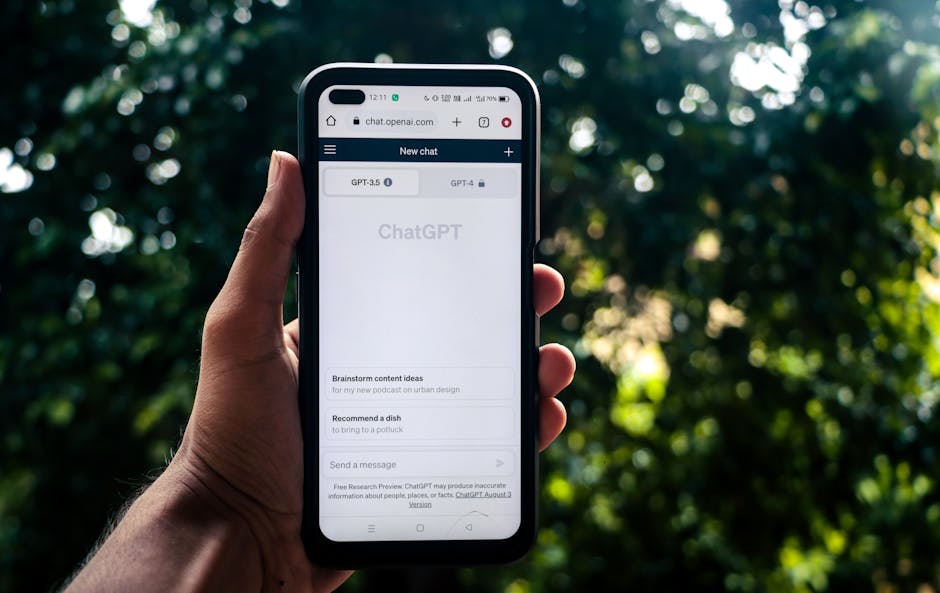
In the current workplace environment, using AI tools like DeepSeek and ChatGPT to assist with writing is no longer considered "cheating," but a reflection of efficient work. However, for newcomers, the biggest trap is over-reliance—directly asking AI to "generate a weekly report" usually results in a piece of "nonsense literature" full of "corporate fluff," which is a minus point in technical or business teams that emphasize pragmatism.
The correct approach to using AI is: You provide the core Facts and Insights, and AI handles the Structure and Polishing.
1. Prompts for Moving from "Daily Logs" to "Structured" Content
A common pain point for many newcomers is having only scattered daily records and not knowing how to string them together into a coherent text. You can leverage AI's inductive capabilities to transform fragmented logs into a professional report that adheres to the STAR principle (Situation, Task, Action, Result).
Below is a verified prompt template that you can copy directly and fine-tune according to your actual situation:
Role Setting: You are an experienced [Your Position, e.g., Java Backend Engineer/Product Operations] mentor.
Task Background: I am a new employee in my first week and need to send a weekly work report to my direct supervisor. The supervisor values clear logic, quantified data, and risk awareness.
Input Data (My Daily Logs):
- Monday: Configured development environment, applied for Git permissions, read Wiki documentation.
- Tuesday: Read code, successfully ran Hello World, attended the internal team weekly meeting.
- Wednesday: Fixed a small Bug (ID-405), but got stuck for 2 hours during deployment due to permission issues.
- Thursday: Researched Competitor A's new feature, wrote a 500-word experience document.
- Friday: Organized next week's to-do list, prepared the framework for the probation review PPT.
Output Requirements:
1. Please organize the above content into a clearly structured weekly report.
2. Use the STAR principle to describe key outputs (such as the Bug fix and competitor analysis).
3. Group administrative work like "environment configuration" under "Rapid Integration & Infrastructure Preparation."
4. Highlight "Blockers Encountered" and "Next Week's Plan."
5. The tone should be professional and sincere; avoid exaggerated adjectives.
This structured prompt based on "Role + Background + Input + Requirements" can effectively prevent AI hallucinations and ensure the output adheres closely to your actual work. As emphasized in the DeepSeek Official Documentation, clear task backgrounds and detailed output format requirements are key to obtaining high-quality answers.
2. The "Soul" AI Cannot Replace: Manual Review Checklist
AI-generated content usually looks perfect but often lacks a "human touch" and sensitivity to the team's political environment. Before clicking send, you must perform the following three manual interventions:
- Eliminate "Correct Nonsense"
AI tends to use buzzwords like "empower," "leverage," and "closed-loop" to fill space. As a newcomer, this slickness will make you appear insincere. Please manually change "empowered product iteration through deep analysis of the competitor" to something more specific like "discovered 3 referenceable interaction details by analyzing Competitor A's features." - Data Authenticity Check (Anti-Hallucination)
Generative AI may fabricate data (such as making up a Bug ID or a performance improvement percentage) just to make sentences flow smoothly. Anywhere numbers, IDs, or names are involved, you must verify them personally. - "Reflections and Risks" Must Be Written Personally
This is the most core part of the weekly report. AI cannot perceive your concerns about the project, nor can it express gratitude for your mentor's guidance on your behalf. - Bad (AI style): "Learned a lot this week, will continue to work hard next week."
- Good (Human style): "While fixing Bug ID-405 this week, I found that the description of the authentication module in the existing documentation is inconsistent with the code. I suggest updating the Wiki next week to prevent subsequent newcomers from stepping into the same pitfall."
Summary: Treat AI as your secretary, not your body double. It handles layout and rhetoric; you are responsible for providing facts and reflections. Only a weekly report that retains your personal perspective can truly reflect your value in the workplace.
Pitfall Avoidance Guide: Three Major Taboos for Newcomers' Weekly Reports

Many workplace newcomers mistakenly believe that a weekly report is "proof of working hours," and thus fall into a misconception born from the fear of "intense competition": writing reports as long as possible and recording every minute in great detail. However, in the eyes of managers, a high-noise, low-value report not only fails to prove your effort but also exposes your inability to grasp key points.
Below are the three minefields newcomers are most likely to step on, and how to correct them from a manager's psychological perspective.
1. "Running Account" Style Records (The Diary Entry)
This is the most typical mistake. Many newcomers write: "Monday: Attended department meeting; Tuesday: Read product documentation; Wednesday: Configured development environment..."
Manager's Psychology: "I know you came to work, but what did you produce? What value do these actions have for the team?"
A qualified weekly report is not a running account of a week's work, but a demonstration of work results. If you only list actions without results, managers cannot judge the depth of your understanding or your output efficiency.
- Bad Example: "Read competitor analysis documentation."
- Correction Strategy (Context → Action → Result): "Completed reading competitor analysis documentation, identified 3 pros and cons regarding the user onboarding flow, and synced with the mentor for confirmation."
- Core Principle: Action is just the process; Insight and Result are the hard currency of a weekly report. Even for small tasks like "installing software," you should indicate whether you encountered compatibility issues or summarize a guide to avoiding pitfalls during installation.
2. "Over-Commitment" (The Over-Promiser)
To leave a first impression of being "proactive" on leadership, newcomers often try too hard when writing the "Next Week's Plan," listing a task list that exceeds their capabilities.
Manager's Psychology: "This newcomer lacks a clear understanding of themselves and the difficulty of the tasks."
Once you fail to deliver on these promises next week, your "reliability" credit score will depreciate rapidly. The workplace is a marathon; consistent delivery is more important than a one-time burst.
- Bad Example: "Next week's plan: Master all business code and refactor core modules."
- Correction Strategy: "Next week's plan: Run through the core business flow code and attempt to fix 1-2 known small bugs to familiarize myself with the architecture."
- Core Principle: Leave room (Buffer) when setting goals. It is better to promise 80% and achieve 120% than to promise 100% and achieve 60%.
3. "Reporting Only Good News" (The Silent Struggler)
Some newcomers are afraid to ask when they encounter difficulties, fearing it will expose their "incompetence." They bite the bullet and hold it in until they write the weekly report on Friday, only to mention at the end: "Due to getting stuck on a certain technical point, this week's tasks were not completed."
Manager's Psychology: "Leaders don't like Surprises!"
The weekly report is an occasion to summarize progress, absolutely not the occasion to disclose major risks for the first time. If you hide risks until Friday to speak up, the manager loses the golden time to mobilize resources to help you solve the problem.
- Bad Example: (In Friday's report) "Because the permission application hasn't been approved, data analysis has not started."
- Correction Strategy: Risks must be reported verbally or via instant messaging the moment they occur (e.g., Tuesday or Wednesday). The weekly report should only sync the final status: "Permission application stalled, resolved after communication on Wednesday, currently catching up on progress."
- Core Principle: Bad news must be reported early. Weekly reports are for syncing "solved problems" or "resources that need coordination," not for detonating landmines.
---
Pre-send Final Checklist (Checklist)
Before clicking "Send," please check yourself against the following 4 points. This can help you filter out 90% of low-level errors:
- Eliminate Running Accounts: Is every "what was done" followed by "what was the result" or "what was the thought"?
- Front-load Risks: Is the problem mentioned in the weekly report something the leader is hearing for the first time? If so, communicate verbally first, then write it in the report.
- Commitment Feasibility: Does next week's plan account for sudden meetings and training time? Have you left a buffer period for yourself?
- Format Noise Reduction: Have you used clear headings and bolded key points? Managers usually only have 30 seconds to scan your email; don't make them hunt for key points in a wall of text.