Gank Interview is a desktop AI assistant for screenshot solutions and voice answers. For your first session, follow the sequence below.
Video tutorial
This video introduces installation, permissions and the basic flow. Follow the written instructions and interactive walkthroughs below for current button positions and actions.
Start here
- Install and sign in: check the system requirements, then download, grant permissions and sign in.
- Learn the shortcut keys: practice hiding and showing the window, then learn capture, solve and voice controls.
- Configure the basics: choose languages, models and capture area, and adjust content dimensions when needed.
- Practice one complete flow: follow screenshot solutions for capture → solve → read and turn pages, or voice answers for transcribe → trigger an answer → read and turn pages. Set up dual-device linking if you want to read answers on your phone.
- Check before an interview: configure keyboard protection and meeting software as described below, then check audio, screen sharing, page focus and shortcuts before rehearsing the whole flow.
For a problem, go directly to Common questions. The software changes frequently; check that you have the latest client before use.
System requirements
To use stealth or voice features, make sure your system version meets these requirements:
| System | Version requirement | Notes |
|---|---|---|
| Windows | Windows 10 2004 or later, versions after April 2020 | 21H2 or later recommended |
| macOS | macOS 15.0 or later | Enable screen recording, microphone and Accessibility using the permissions screen. Intel-based Macs are not recommended, as testing on these models has been limited and compatibility issues may occur with some applications. |
How to check system version
- Windows: open "Settings" -> "System" -> "About," then check the version under "Windows specifications."
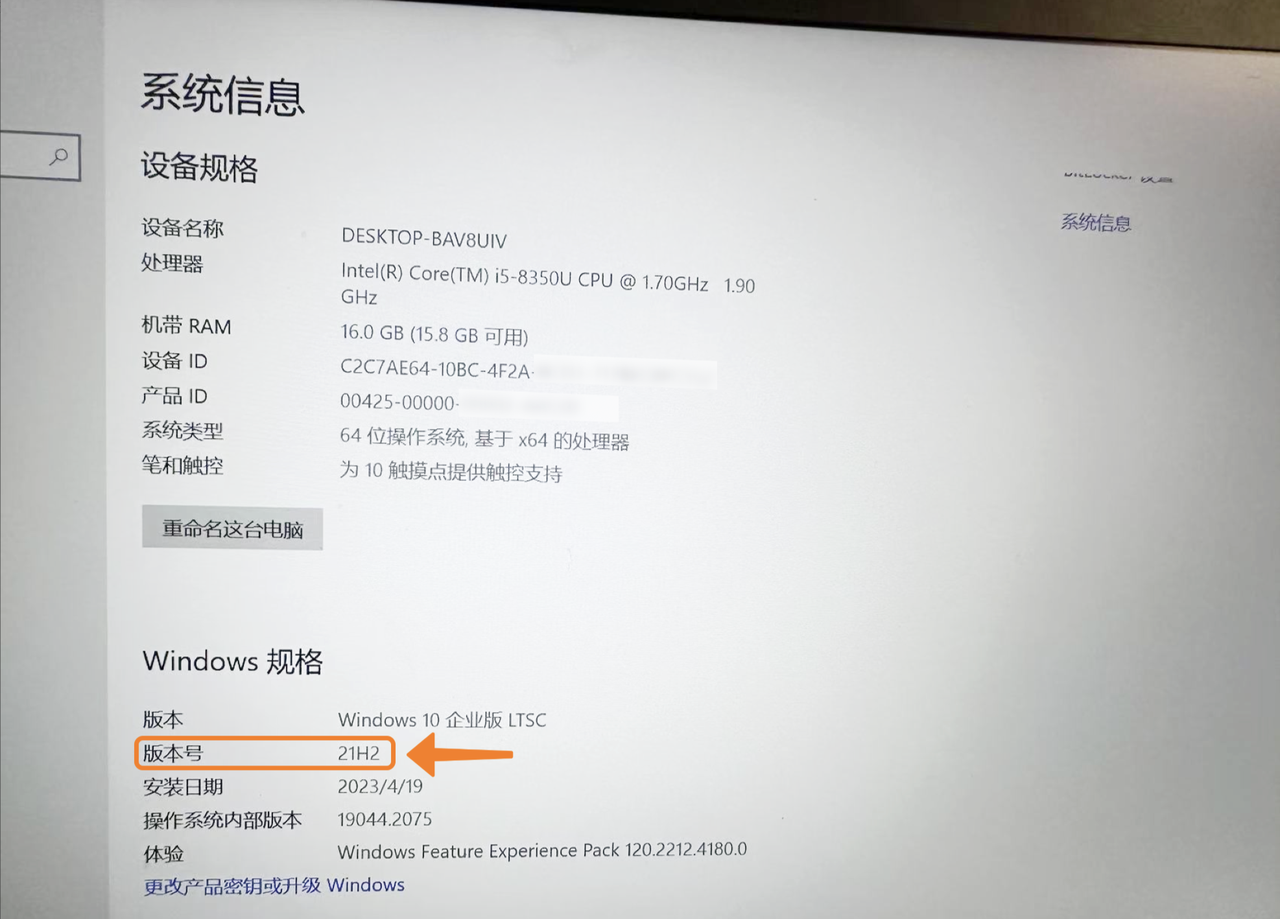
- macOS: click the Apple menu in the upper-left corner -> "About This Mac," then check the macOS version.
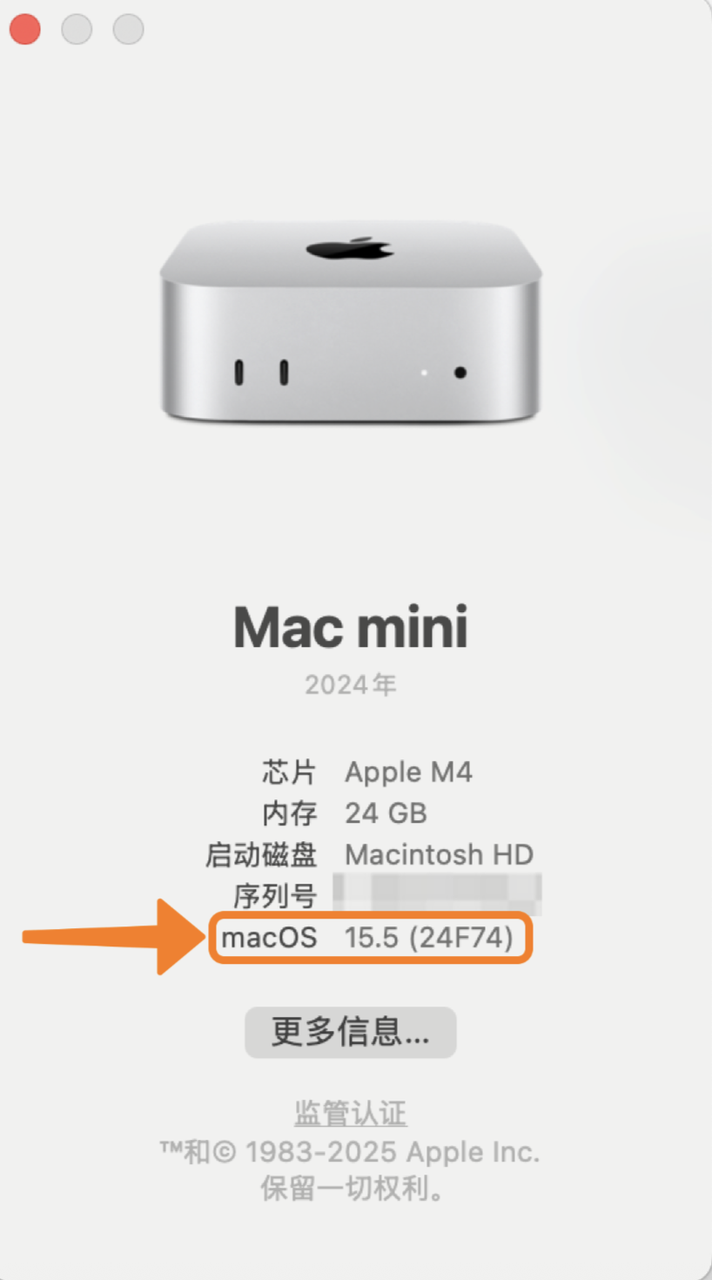
Keyboard protection and shortcut checks
Once you know the basic controls, configure keyboard protection before your interview to block selected Ctrl (Windows) or Command (macOS) keys and their combinations from reaching other apps. The corresponding self-check is Keyboard events, which shows whether the webpage receives your shortcuts.
- Configure protection: open Settings → Advanced Settings → Windows / macOS Keyboard Protection in the client, enable protection and select the left or right modifier key to block. Follow the full setup guide.
- Test your shortcuts: open Keyboard events, keep the client running and the test page in focus. Press A to confirm recording works, then try your usual client shortcuts and compare the logs with protection off and on.
- Check both results: inspect whether the webpage still receives the selected Ctrl / Command key or shortcut, and confirm the client performs the intended action. Missing events alone do not prove the shortcut worked. Test again after changing protection settings or shortcuts.
Tencent Meeting and Zoom settings (before sharing)
When sharing your screen in Tencent Meeting or Zoom, configure the meeting app before checking the shared view. Follow the steps for the app you will use.
Tencent Meeting
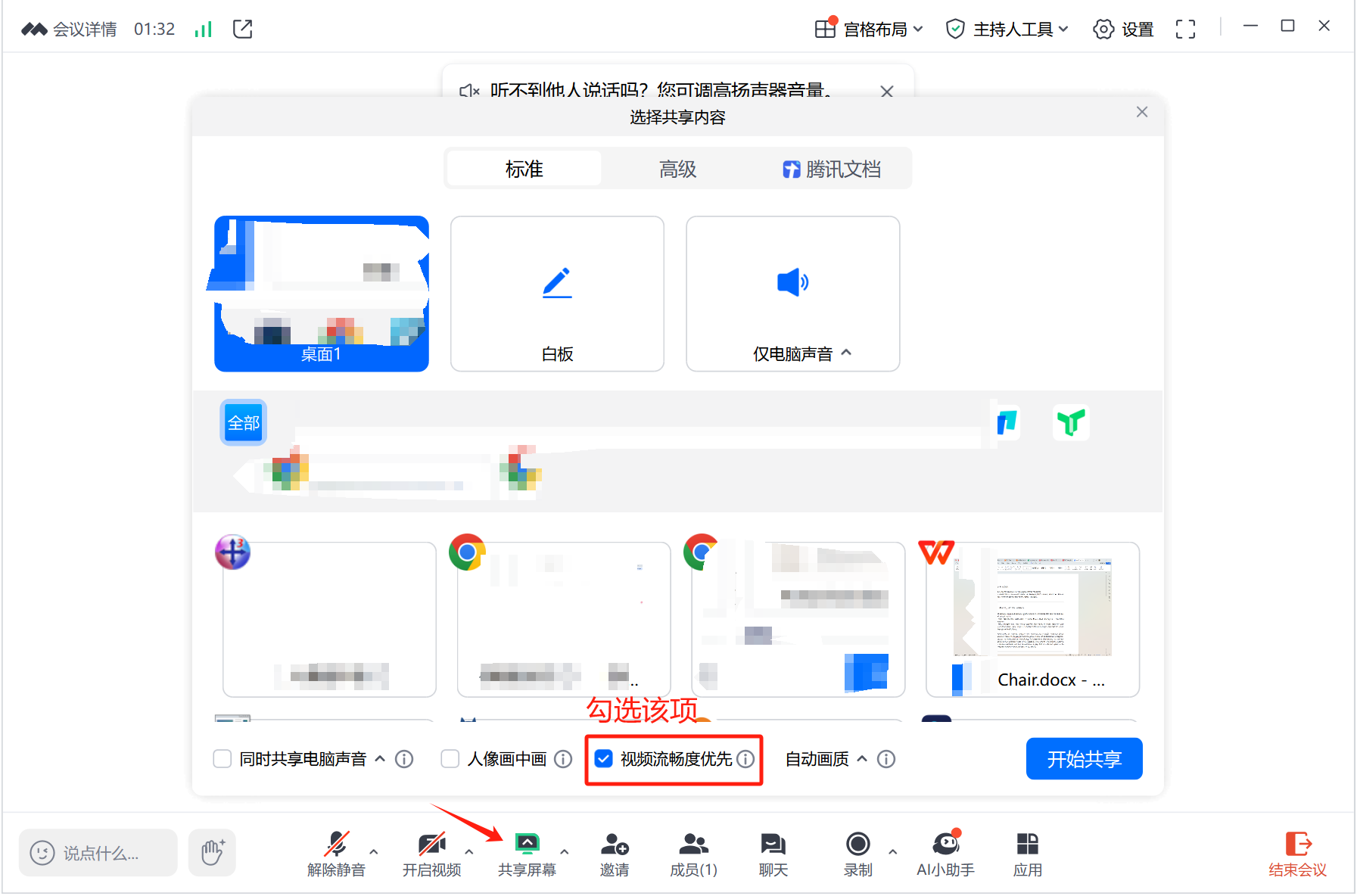
- Join a meeting and click Share screen at the bottom.
- Select the screen to share.
- Enable Video fluency priority (视频流畅度优先 / 流畅度优先 in the illustrated interface), then start sharing.
Zoom
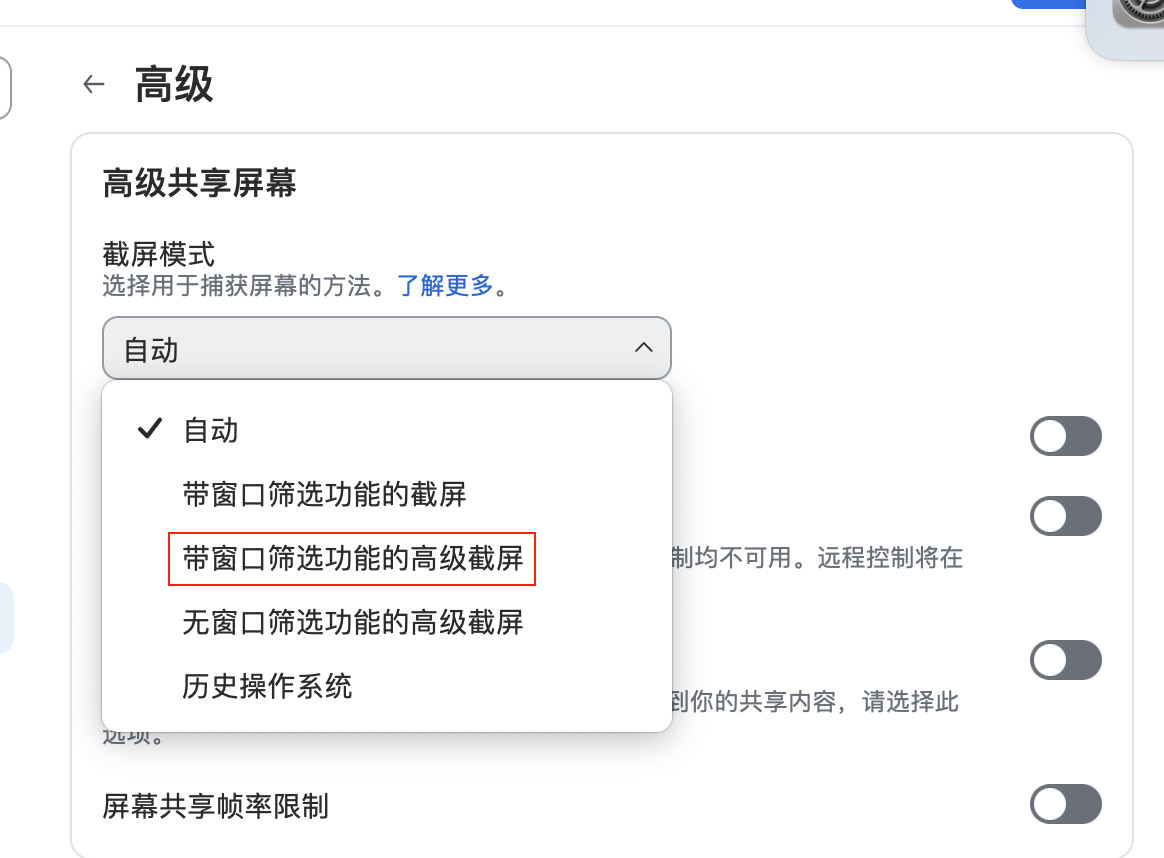
- Open Zoom settings → Share Screen → Advanced.
- Open the Screen capture mode dropdown.
- Select Advanced capture with window filtering (带窗口筛选功能的高级截屏 in the screenshot).
- Return to the meeting and restart screen sharing.
Check what the other participant receives
Keep the Gank Interview client open and join a test meeting from another device, or ask a friend to join. Inspect the view they receive for the client toolbar or panels. If these appear, stop sharing, check the settings above and test again.
The self-check tools can inspect browser capture, but cannot replace verification in an actual Tencent Meeting or Zoom meeting. Follow Practical preparation for the full rehearsal checklist.
Configure when needed
After completing the basic flow, adjust these as needed:
- Use your own materials in answers: see Knowledge management.
- Change shortcuts or answer instructions: see Shortcuts & extra requirements. Run the keyboard event check again after changing shortcuts.
- Connect your own model service: see Custom API and models.
For more ways to verify screen sharing, read Stealth mode. Find account, payment and support information under Account & Subscription above.