Current region
Open Settings → Advanced Settings → Current region and select the channel matching your network location:
- Mainland China: model configuration optimized for access from mainland China.
- Other regions: model configuration for access outside mainland China.
Wait for the list to refresh, then confirm your solution or voice model is still available. Test one short request. Investigate the network and region together if loading or requests time out.
Solution and voice models
Choose the screenshot solution model in Settings. Voice Q&A and Voice solve use the model selected in the voice panel. Screenshot question types are identified automatically; output language comes from your language setting.
Multimodal solution models have an input-mode icon: blue image means image input; gray document means text input. Click the icon to change input mode and the model name to select the model.
INTERACTIVE WALKTHROUGH
Try it: switch model image and text input
Click the numbered markers to see what happens next in the client, or use the tutorial controls below.
Click the gear on the toolbar
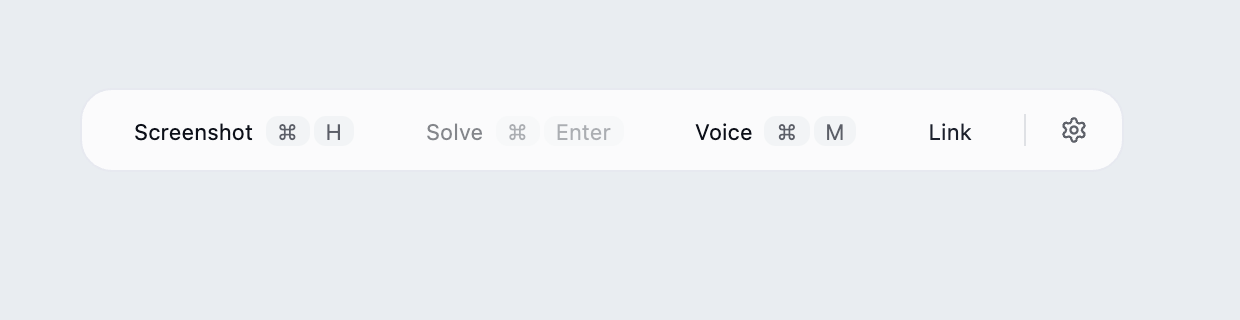
Find the desktop client's floating toolbar and click the gear at its right edge.
What you should see: The settings panel opens with languages, models, capture mode and links near the bottom.
These steps use fixed examples. Click the yellow image marker or use Next tutorial step below.
Show all illustrated steps
1. Click the gear on the toolbar
Find the desktop client's floating toolbar and click the gear at its right edge.
The settings panel opens with languages, models, capture mode and links near the bottom.
These steps use fixed examples. Click the yellow image marker or use Next tutorial step below.
2. Open the Screenshot solution model dropdown in Settings
Find Screenshot solution model and click its current name to open the list. This example uses the image-capable Tutorial example model added in the previous walkthrough.
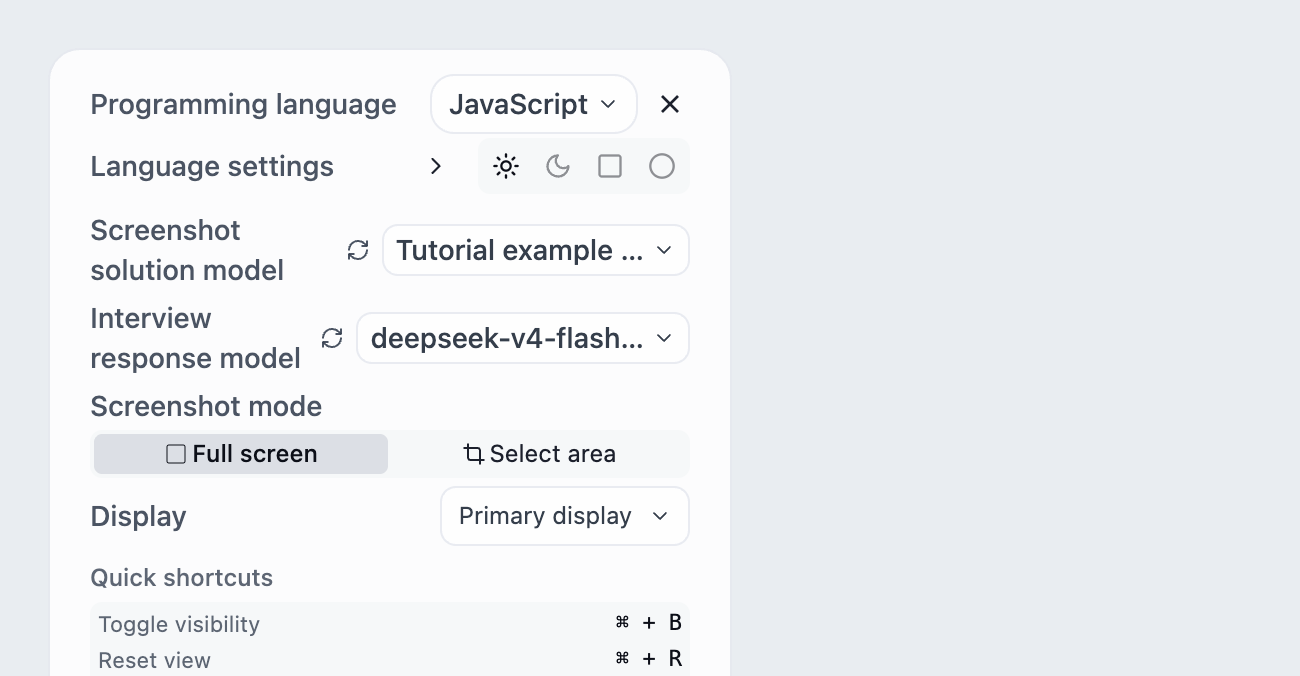
Available models are listed. An unlocked multimodal model also has a clickable icon on the right.
Clicking a model name selects it. Its right-hand icon switches the input mode. The screenshot determines the question type and required output format.
3. A blue image icon means image input is enabled
Find the blue image icon on the right of the example model and click it once to see the mode change.
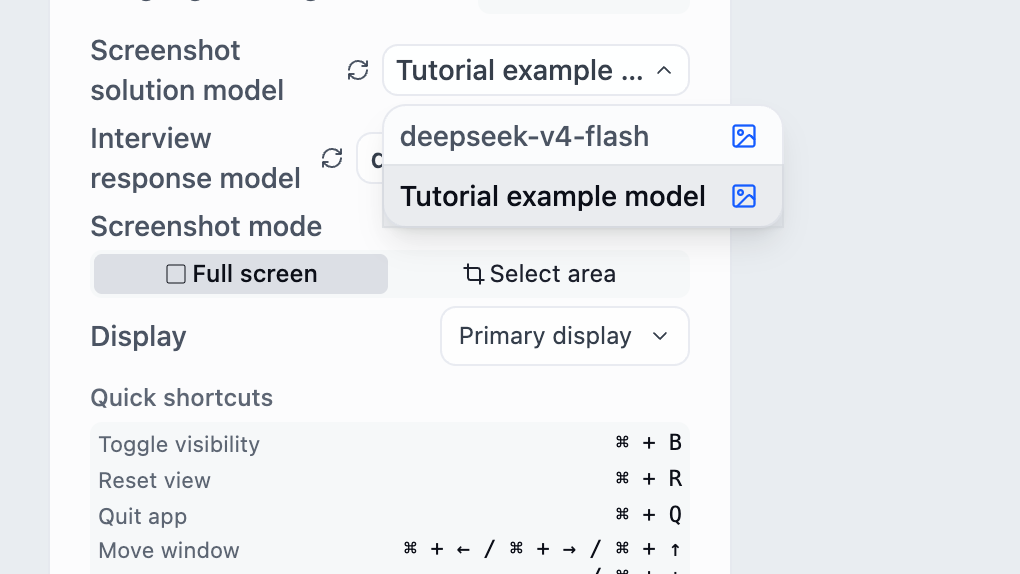
The icon changes to a gray document, indicating text input for this model. The dropdown remains open.
This is an input switch, not just a badge. A multimodal model can be configured to use text input.
4. A gray document means text input; click again to restore images
Click the gray document icon in the same location. This example switches back to image input for a question containing a diagram.
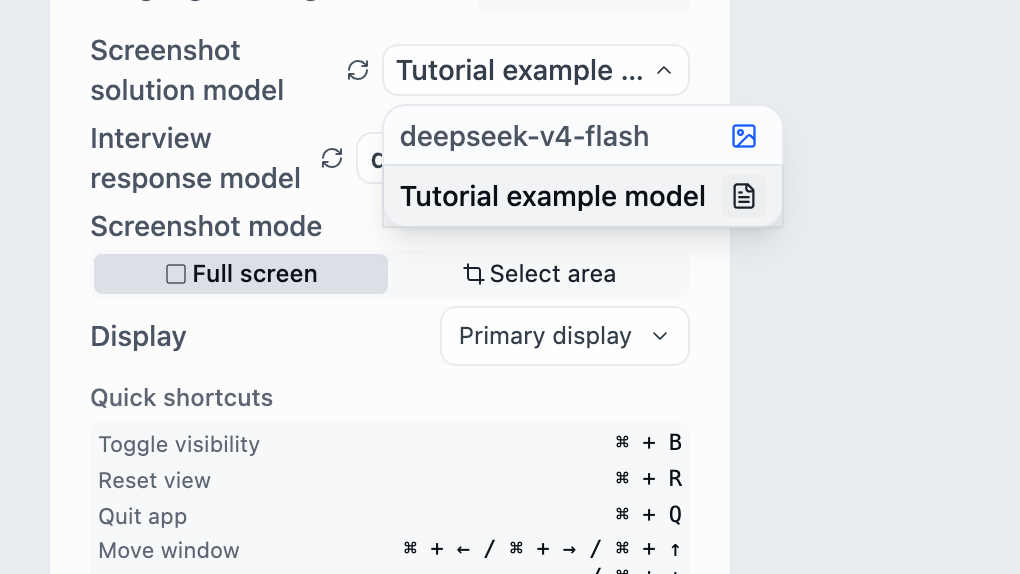
The blue image icon returns, confirming image input is enabled again.
Supports multimodal in Custom API declares whether the endpoint supports images. The saved list setting chooses direct image input or extracting question text first. Declaring support cannot add image capability to an incompatible endpoint.
5. After checking the icon, click the model name
Confirm the blue image icon, then click the Tutorial example model name.
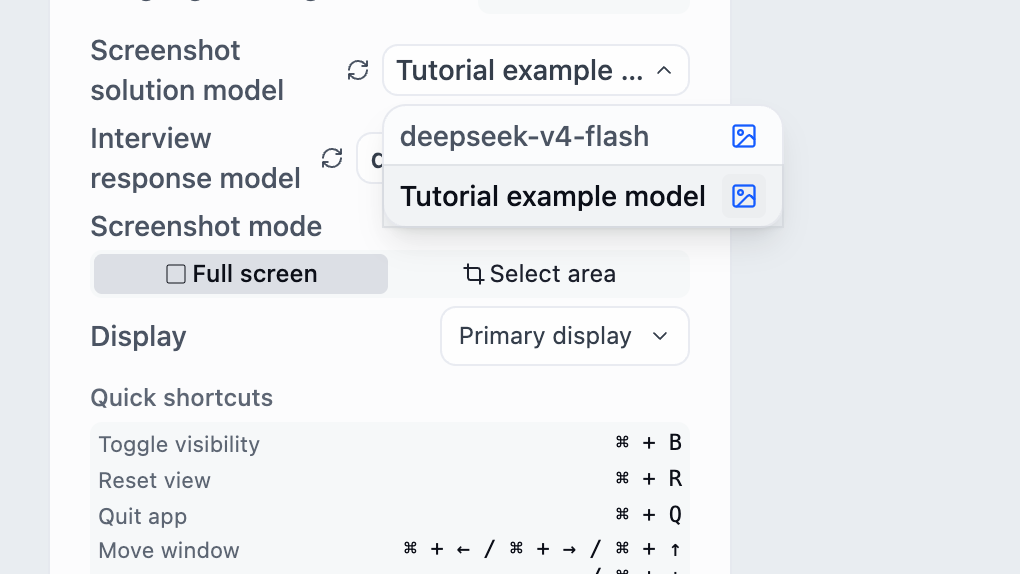
The list closes and Screenshot solution model displays the selected name.
Clicking an icon does not select a different model. Click the name of the model you intend to use.
6. Close Settings and verify with a short question
Check the current model, close Settings, capture a short question and trigger a solution. If you need image understanding, use a question with a diagram to inspect the result.
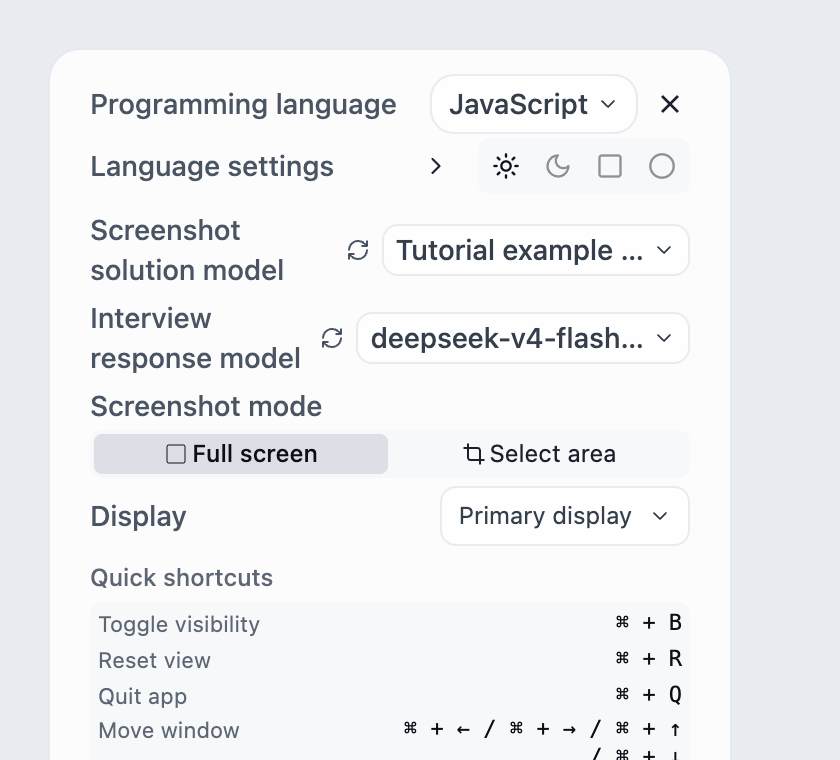
The actual response lets you verify endpoint availability, model selection and image input.
The tutorial uses an invalid example API and makes no model calls. Verify image support using your own endpoint.
Image input is useful for diagrams, formulas and questions whose layout matters. Text input extracts screenshot content before sending it to the solution model. If information is missing, check the capture and whether the input mode suits the question.
Built-in generation parameters are configured by the server separately for screenshot solutions and interview answers. The client no longer adds fixed token limits or thinking parameters. Supported parameters vary by model; built-in parameters are not user-editable here.
Custom API (Pro and above)
Expand Custom API in Advanced Settings and enter a display name, API base URL, API key and model name. Set image support according to your service, save, then test one short request.
Adding a model automatically selects it as both the Screenshot solution model and the Interview response model. Check both selections in Settings. To use it for only one feature, switch the other selector back to your previous model separately.
The API key stays on the current device and is used when requesting your configured API service. It is not uploaded to GankInterview as account data.
INTERACTIVE WALKTHROUGH
Try it: add and select a custom model
Click the numbered markers to see what happens next in the client, or use the tutorial controls below.
Click the gear on the toolbar
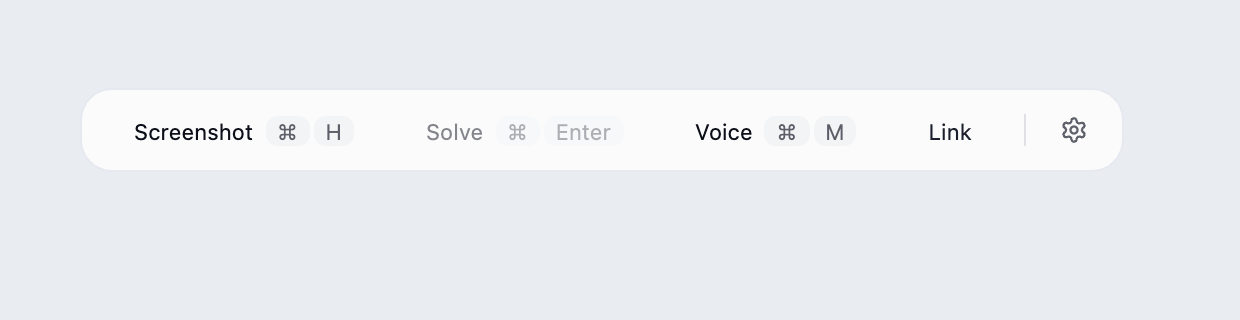
Find the desktop client's floating toolbar and click the gear at its right edge.
What you should see: The settings panel opens with languages, models, capture mode and links near the bottom.
These steps use fixed examples. Click the yellow image marker or use Next tutorial step below.
Show all illustrated steps
1. Click the gear on the toolbar
Find the desktop client's floating toolbar and click the gear at its right edge.
The settings panel opens with languages, models, capture mode and links near the bottom.
These steps use fixed examples. Click the yellow image marker or use Next tutorial step below.
2. Open Advanced Settings near the bottom
Look near the bottom of the settings panel and click Advanced Settings, alongside Knowledge Base and Voice Settings.
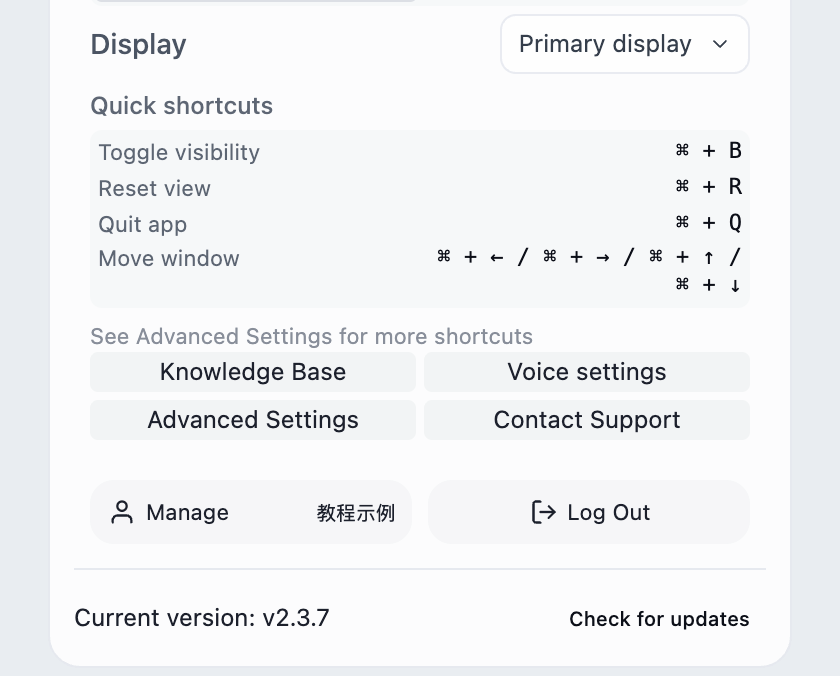
The advanced window opens. Click a section heading to expand it; scroll inside the window to find lower sections.
The image focuses on the entry buttons. Opening the window does not change a setting.
3. Expand Custom API and check account access
Scroll to Custom API and expand it. Use a Pro or Ultimate account and prepare your provider's endpoint, model identifier and API key.
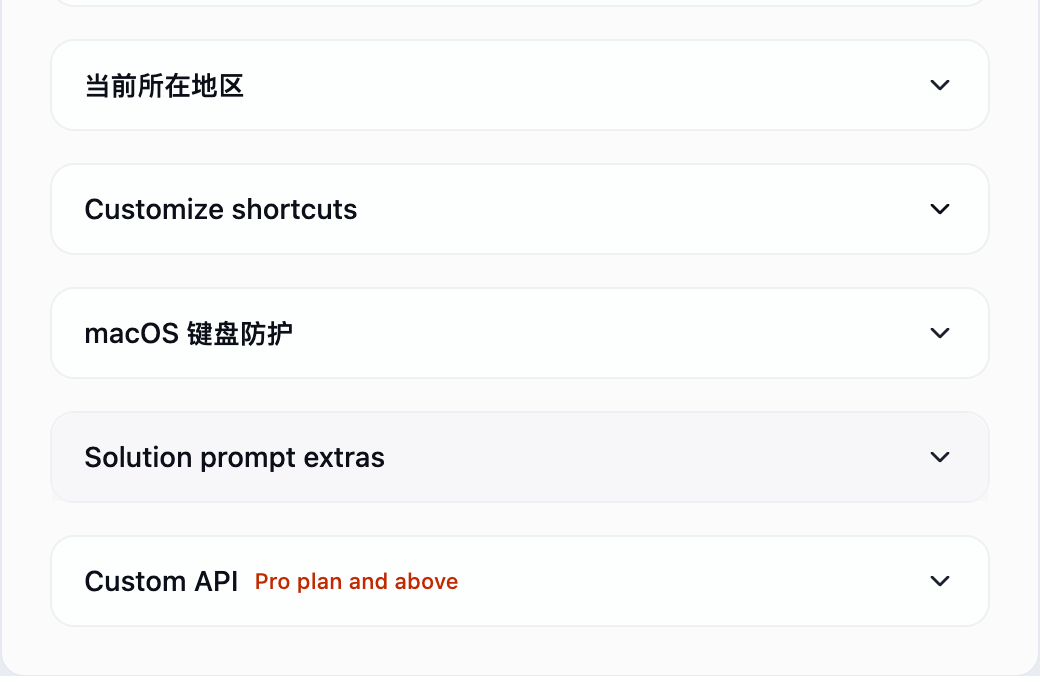
The model fields and multimodal switch appear.
All addresses, identifiers and keys in this demo are invalid examples. Use the actual values for your provider.
4. Separate the display name from the model identifier
Fill four fields: a display name for your own reference, the API URL, the provider's API key, and the exact model identifier accepted by the API.
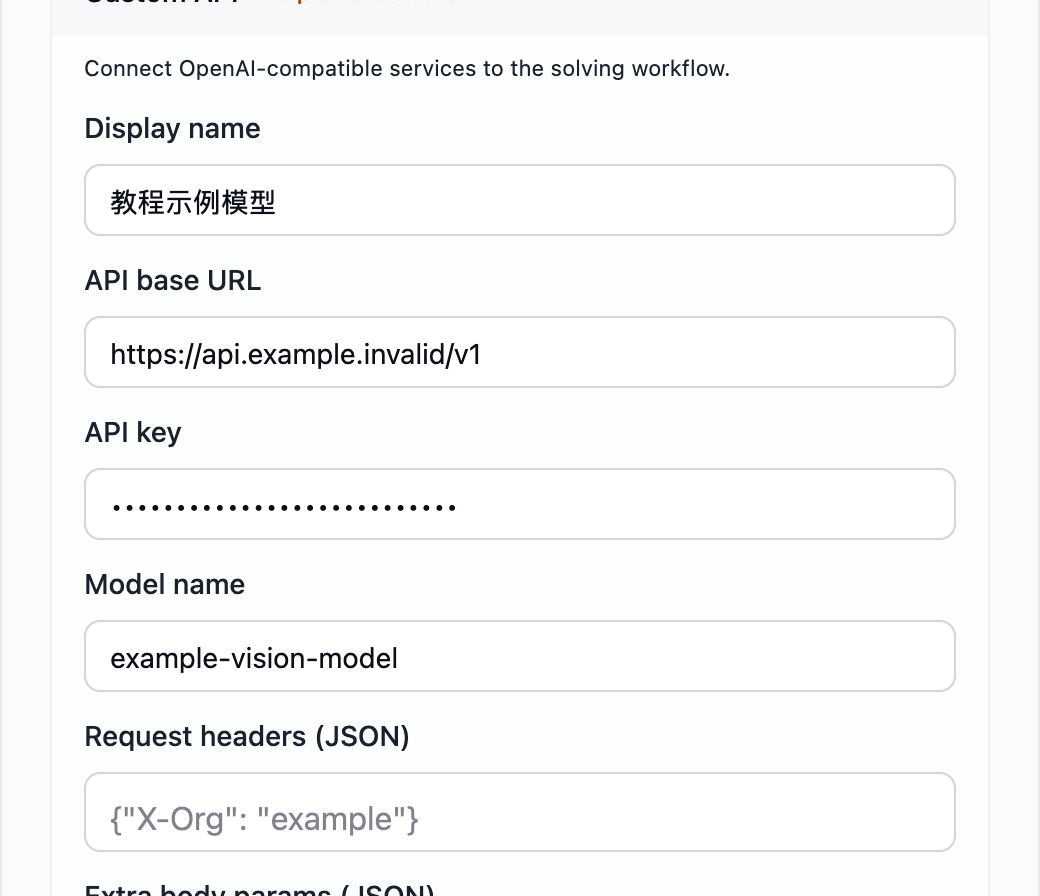
All required fields contain values; the key is masked.
The example.invalid URL cannot be called. A display name is arbitrary; the actual model identifier must match the provider.
5. Set multimodal capability and optional parameters
Review headers, extra body parameters and image input support. Leave optional fields empty unless required. Enable multimodal only for a model that actually accepts images.
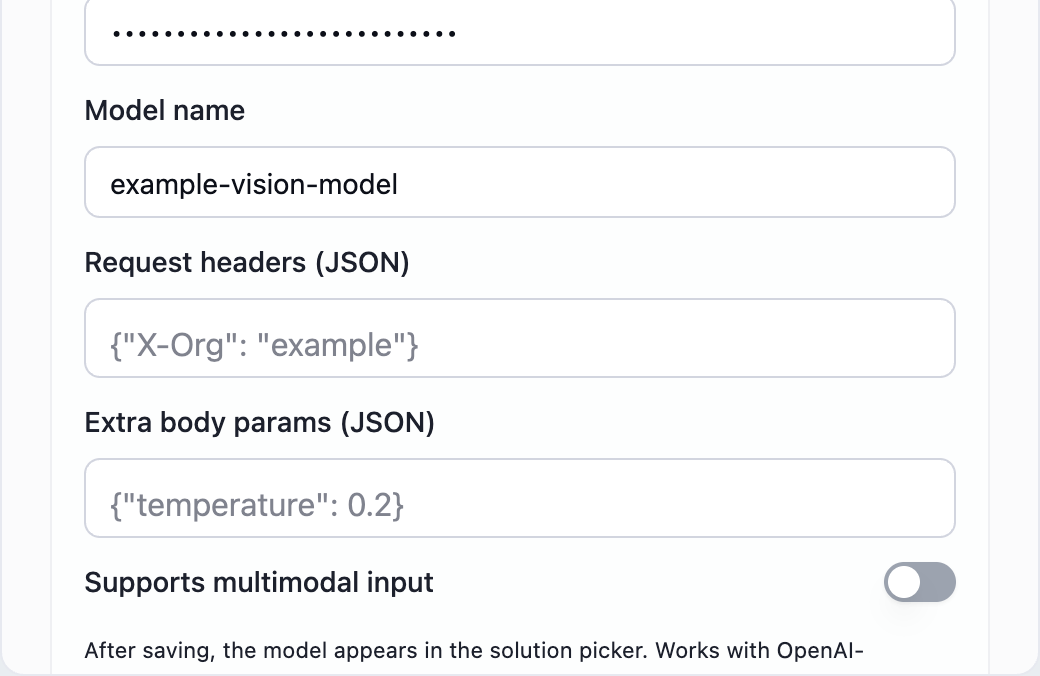
The demo enables image input and leaves optional parameters empty.
A switch cannot give a text-only model image support. Optional fields must be valid JSON objects; header values must be strings.
6. Click Add Model after completing the form
Scroll to the bottom of Custom API, review the values and click Add Model.
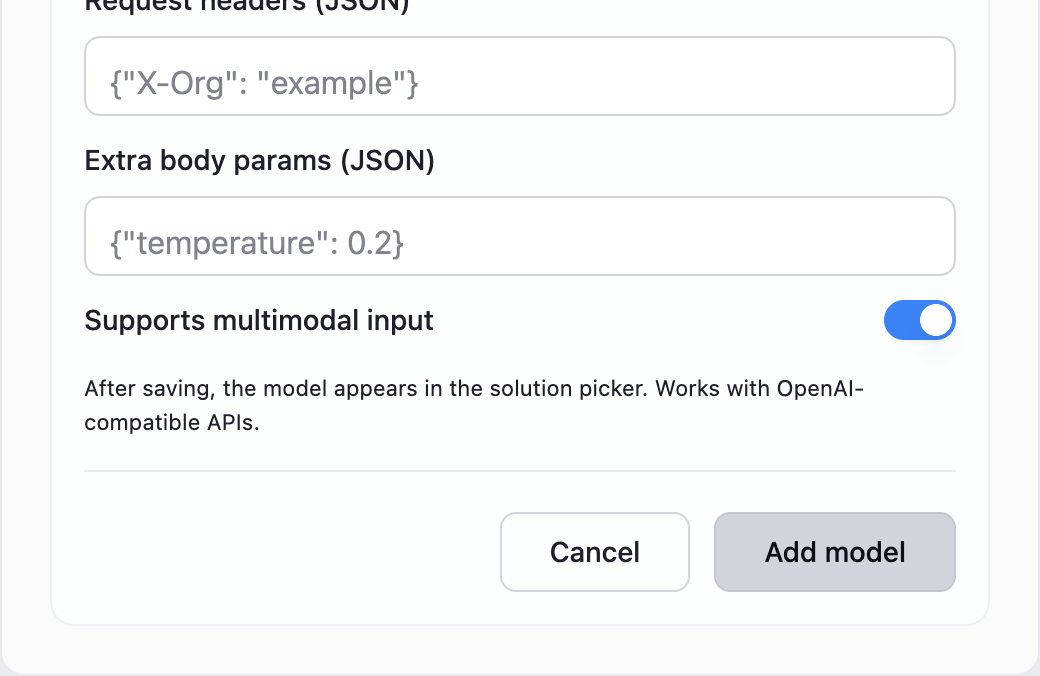
Successful creation closes Advanced Settings, automatically selects the new model for screenshot solutions and interview responses, and returns to Settings.
Resolve any displayed errors before retrying. Creation saves configuration; it does not prove the endpoint or key works.
7. Check that both model selectors already use the new model
Check that Screenshot solution model and Interview response model both show the new display name, 教程示例模型 in this example. Open the screenshot solution model list to inspect the current selection.
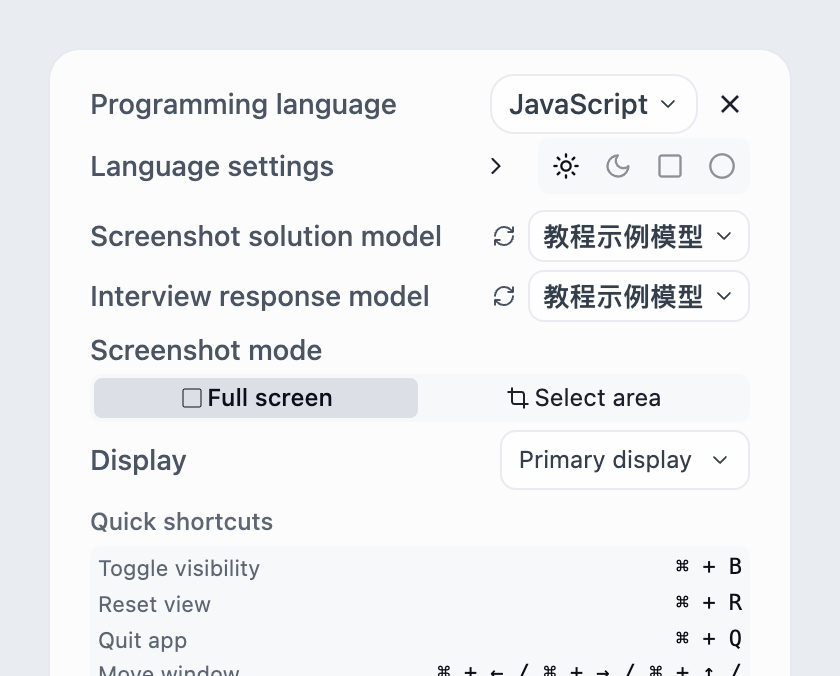
Both selectors have automatically switched to the new model; its screenshot selection is shown in the list.
No repeat selection is required after adding the model. The two selectors are independent; to use it for only one feature, switch the other selector back to your previous model separately.
8. Keep the selection or switch back as needed
This demo keeps the automatically selected 教程示例模型 and clicks its current item to close the list; repeating the selection is optional. Choose your previous screenshot model to restore it. Restore your previous voice model separately in Interview response model.
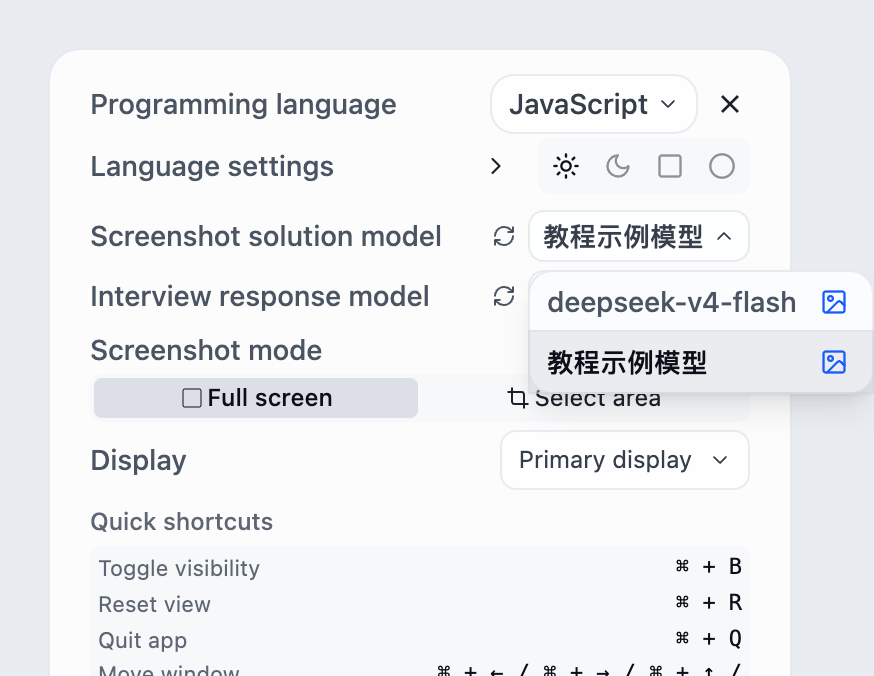
The list closes with the new screenshot model retained in this example. Changing it does not change the interview response model.
If the model is absent, check whether creation reported an error, then reopen the list or refresh model configuration.
9. Confirm the selected model, then run a short test
Check that both screenshot and interview model selections match your intentions. With real valid parameters, capture a simple practice question and solve it; also try a short voice question if using the model for interview responses.
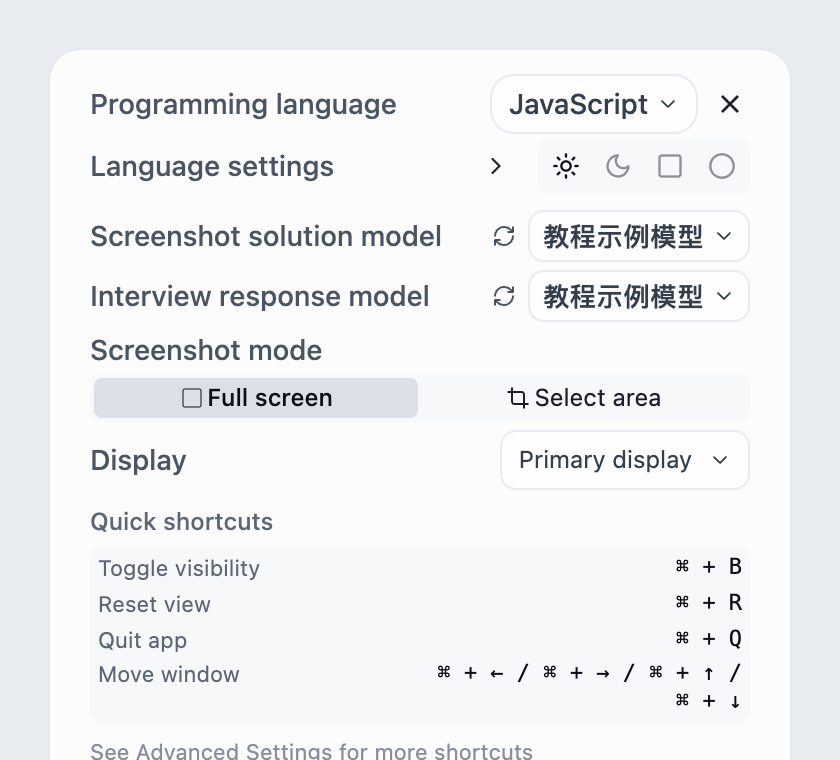
The model is selected. A valid response from a real request completes API verification.
This demo sends no API requests. Check endpoint, key, model identifier and image support if it fails; compare with a built-in model if needed.
Custom headers and extra body parameters
Custom APIs accept JSON headers and extra request-body parameters. Header values must be strings, and body parameters must be a JSON object. For example:
Use this example only with a service that supports these fields. Match parameter names to the model's documentation. A model using max_tokens needs that field instead; avoid setting multiple token limits together.
The client manages the model, messages and streaming protocol. Extra fields such as model, messages, stream, n, tool calls and audio-output configuration cannot override that behavior. The interface displays streamed text answers.
For a JSON error, check quotes, commas and object structure. If the service rejects a parameter, remove it and test the smallest configuration, then add supported fields one at a time.