
Most professionals fall into the fatal trap of treating weekly reports as attendance tools to "prove their innocence," attempting to validate their workload by listing dense meeting minutes, trivial details, and contextless "follow-ups." However, such laundry-list reporting fails to demonstrate core value and increases managers' cognitive load, ultimately becoming junk information that is merely skimmed. In reality, superiors do not care about your effort; as resource allocators and risk bearers, their primary motives for reading reports are to eliminate delivery uncertainty and optimize resource allocation. Therefore, a high-value report must be built on the logic of "upward management," requiring you to discard the process-recording "input mindset" in favor of a result-oriented "output mindset." This requires quantifying results with rigorous data rather than vague adjectives, and possessing risk warning capabilities by using visual progress charts to transform abstract status into intuitive decision-making bases. True professionals use this high-frequency channel to actively manage expectations through precise communication of bad news and delays, earning trust and support rather than causing shock at the deadline. Mastering this logic transforms a mediocre memo into a strategic tool demonstrating your irreplaceability, making every report a solid booster for career advancement.
Why Are 90% of Weekly Reports Ineffective "Laundry Lists"? — Reconstructing Writing Logic from the Perspective of "Managing Up"
The mindset of most professionals when writing weekly reports is often: "I was very busy this week, I have to list everything I did to prove I wasn't slacking off." This mindset directly causes 90% of weekly reports to degenerate into unsubstantial "laundry lists"—filled with meeting minutes, trivial execution processes, and context-free "completed" items.
However, the moment you press the send button, your boss is experiencing a completely different psychological dynamic. As an allocator of resources and a bearer of risk, a manager's fundamental motivation for reading weekly reports is not to monitor your attendance, but to eliminate uncertainty (Risk Management) and optimize resource allocation (Resource Allocation).
This Is the So-Called "Manager's Dilemma"
Workplace psychologists point out that managers face massive amounts of information noise every day. If your weekly report simply lists "what was done" (Input), it not only fails to provide value but also increases their cognitive load.
Effective weekly reports must start from the perspective of "managing up" to address the manager's core anxieties:
- Is progress out of control? (Do I need to intervene?)
- Are resources sufficient? (Do I need to coordinate?)
- Is the basis for decision-making sufficient? (Do I need to make the final call?)
As workplace psychologist Fang Cen puts it, bad news will explode sooner or later; if not mentioned at the time, it becomes a huge shock (Surprise) later. Managers would rather see an "early risk requiring assistance" in a weekly report than receive a "cannot deliver on time" notification the day before a project deadline. The essence of a weekly report is a management tool used to exchange for trust and resources, not a diary recording hard work.
Mindset Shift: From "Input-Oriented" to "Outcome-Oriented"
To reconstruct writing logic, one must first abandon the "Input Mindset" and switch to the "Outcome Mindset".
- Input Mindset focuses on "how much time I spent" or "what actions I took." For example: "Attended product requirement review meeting," "Wrote code." In the eyes of the boss, this equals zero information.
- Outcome Mindset focuses on "what results this action brought" or "what to do next." For example: "Confirmed V2.0 core requirements, eliminated 3 unnecessary features," "Core module development completed, entering integration phase."
The key principle of managing up lies in making it "easy for the supervisor to make decisions, rather than difficult to make judgments." When you can quantify output and proactively expose potential risks, you evolve from an "executor" to a "collaborator."
Practical Comparison: Laundry List vs. Strategic Report
The following intuitive comparison demonstrates how to transform a "laundry list" into a report with strategic value:
Reporting Dimension | ❌ Ineffective "Laundry List" (Diary Entry) | ✅ High-Value "Strategic Report" (Strategic Update) |
|---|---|---|
Meeting Minutes | Attended Monday's marketing review meeting and discussed plans for the next quarter. | Q3 Marketing Plan Aligned: Confirmed 10% budget increase, focusing on short video channels; need your approval on the budget proposal by Friday. |
Client Communication | Followed up on Client A's renewal issue, sent an email, waiting for a reply. | Client A Renewal Risk Warning: Client has objections to the price, renewal process paused. Countermeasure: Suggest applying for 5% discount authority to close the deal; need your authorization. |
Development Progress | Fixed a few bugs, writing code for new features, a bit slow. | New Feature Development Progress 80%: Due to unstable third-party API interface (risk point), delivery expected to be delayed by 1 day; backup plan activated, final launch date not affected for now. |
Daily Trivia | Organized invoices, replied to emails from various departments, interviewed an intern. | (Such trivia is recommended to be omitted or summarized in one line) Administrative Support: Completed 3 reimbursement processes and 1 intern preliminary interview, no anomalies. |
Core Insight: The report on the right not only showcases work results but also includes data support, risk warnings, and Call to Action. This writing style not only eliminates the manager's anxiety but also implicitly proves your control over the business. Remember, the boss doesn't look at how much sweat you shed, but only at how much grain you harvested.
Progress Reporting: How to Prove Your Value with Data (Reject "In Progress")
In workplace reporting, "In Progress" is often the most dangerous term. It not only masks real risks but also fails to reflect your actual output. Many employees fall into a trap: believing that proving they are "busy" equates to working "effectively." However, for managers, Busyness does not equal Effectiveness.
The core objective for managers reading progress reports is to determine whether a project has veered off track and whether resource investment has yielded the expected returns. As emphasized by OKR management logic, goals must be measurable and quantitative; Key Results are the sole yardstick for measuring the degree of goal achievement, not merely a list of actions. If your weekly report is filled with "following up" or "processing," it not only wastes the manager's attention but also squanders the opportunity to showcase your personal value.
To solve this problem, a mindset shift from "qualitative description" to "quantitative analysis" is essential. Whether demonstrating remaining man-hours via Burndown Charts or quantifying progress with specific percentages, data is always more persuasive than adjectives. The following content will break down how to transform vague work statuses into undeniable data assets, establishing your irreplaceability within the team.
Reject Vague Adjectives: Transform "What You Did" into "What You Produced"
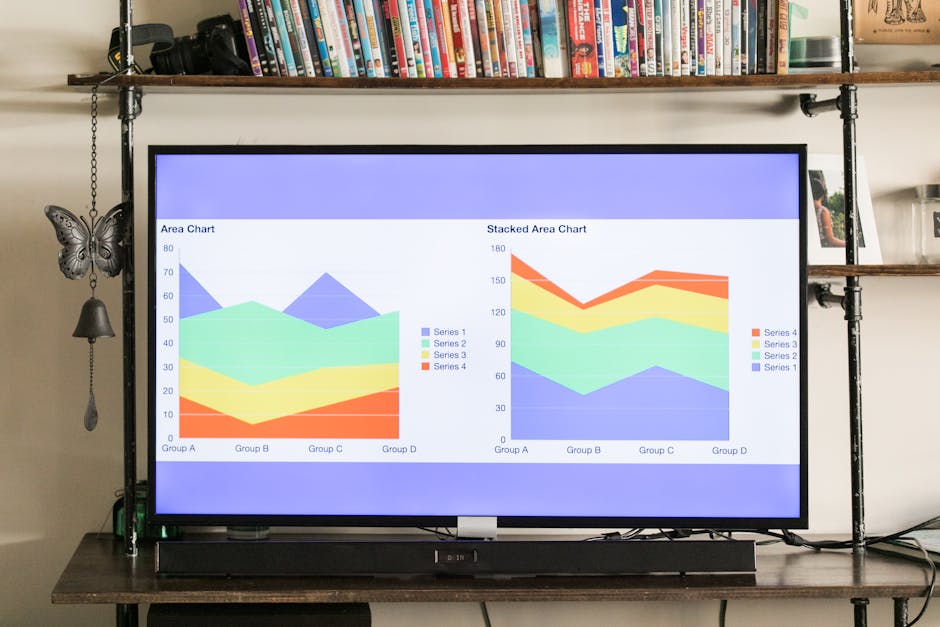
In workplace reporting, the most dangerous trap is the misconception that "describing the process" is equivalent to "proving value." Vague adjectives such as "followed up on project progress," "optimized user experience," and "strengthened team communication" are often equivalent to noise in the eyes of busy managers. The boss doesn't want to know how much sweat you shed for the work; they only want to know what specific results that sweat yielded.
To completely break free from "logbook-style reporting," you need to switch your mindset from an "Input Perspective" to an "Output Perspective." The most direct method is to adopt the narrative formula of "Action + Data + Result," replacing subjective descriptions with quantified facts.
1. The Golden Formula: Action + Data + Result
Every key work item should contain verifiable numbers or specific deliverables. This not only increases credibility but also allows managers to instantly assess the impact of the work.
- Action: What specific strategy or method did you implement?
- Data (Number): How much changed? How much time was spent? How much cost was saved?
- Result: What is the final contribution to business goals?
Referring to suggestions on efficient reporting from the Alibaba Cloud Developer Community, this structure is similar to a streamlined version of the STAR method (Situation, Task, Action, Result), which can significantly enhance the persuasiveness of reports.
2. Practical Comparison: "Bad Reporting" vs. "Good Reporting"
Through the following comparison, the huge gap in value transmission between "vague description" and "quantified output" becomes apparent:
- ❌ Vague Version (Process only):
> "Optimized website loading speed, improved user experience." - Problem: "Optimized" to what extent? How much did the "experience" improve? There is no way to verify.
- ✅ Quantified Version (Output-oriented):
> "By compressing image resources and streamlining JS code (Action), reduced homepage load time from 2.0s to 1.6s (Data), a 20% decrease, expected to increase page conversion rate by 5% (Result)." - ❌ Vague Version (Effort only):
> "Followed up with a large number of customers this week, currently waiting for replies." - Problem: How many is "a large number"? "Waiting for replies" implies stagnation in progress with no risk anticipation.
- ✅ Quantified Version (Output-oriented):
> "Completed phone follow-ups with 15 high-intent customers this week (Data), successfully activating 3 dormant leads (Result). For customers who haven't replied, a secondary outreach plan has been formulated for next Tuesday (Next Action)."
3. Beware of "Pseudo-work": How to Handle Daily Trivia?
Many people's weekly reports are filled with "replying to emails," "attending regular meetings," and "organizing documents." These belong to "Maintenance" work required to keep the position running; in the eyes of managers, they are merely "proof of attendance" rather than "value increment."
- Strategy 1: Group similar items. Do not list every single email; instead, summarize them in one line: "Processed 40+ daily tickets, maintaining a response time within 2 hours (SLA met)."
- Strategy 2: Delete decisively. If a trivial task produces no data and solves no key risks, delete it directly from the weekly report. The weekly report is an "Honor Roll" for showcasing results, not a "Dashcam" recording the mundane details of daily life.
Actionable Takeaway:
Before sending your weekly report, perform a final self-check: Select all adjectives in the text (such as "actively," "hard-working," "significantly") and try to replace them all with specific numbers or deliverable names. If they cannot be replaced, it indicates that the work may lack substantive progress, and you need to re-examine your work focus.
Progress Visualization: The "Traffic Light" Mechanism Bosses Can Understand at a Glance

Most managers do not have the patience to read thousands of words of "tedious logs" word for word when reading weekly reports. In a workplace environment with information overload, a purely text-based report often buries key information, leading to risks being ignored. To grab the boss's attention within a few seconds, the most effective strategy is to transform abstract progress into intuitive visual signals.
Introducing the RAG (Red-Amber-Green) Status System
Do not let the boss guess the health status of the project. At the beginning of the weekly report or in the email subject line, directly introduce the classic RAG (Red-Amber-Green) mechanism used in project management. This is not just reporting progress, but a signal clarifying management expectations:
- 🟢 Green (On Track): Progress is normal, executing according to plan. Seeing this color, the boss knows "no need to worry here" and can quickly skip over it.
- 🟡 Yellow (Amber - At Risk): Risks or slight delays exist, but there is a mitigation plan. This is the most critical status; it tells the boss: "This needs your attention, but I still have it under control."
- 🔴 Red (Blocked): Serious blockage or confirmed delay, requiring immediate escalation or resource support.
It is recommended to mark this directly in the email subject or document title:
[Weekly Report] Marketing Dept Q3 Launch Project - Li Ming [🟢 On Track][Weekly Report] Backend Refactoring Project - Zhang Wei [🔴 Coordination Needed]
Smart Use of "Character Charts" for Progress Visualization
Many employees mistakenly believe that visualization requires professional BI tools or complex Excel charts. In fact, in ordinary email bodies or Word documents, using simple characters and Emojis can achieve excellent visual effects.
1. Emoji Progress Bars
Compared to the cold "60% Complete," a visual progress bar can instantly establish a sense of space. You can directly copy the following characters to display progress:
- Project A:
[▓▓▓▓▓▓░░░░] 60%(Development phase complete, entering testing) - Project B:
[▓▓▓▓▓▓▓▓▓░] 90%(Wrap-up phase, awaiting acceptance)
2. Mini Burn-down Chart
For critical Deadlines, you can use a countdown method to present a sense of urgency, rather than just writing the date.
- Traditional writing: Launch date October 25th.
- Visual writing:
📅 5 daysuntil launch,3key tasks remaining.
Through this "low-cost" visualization method, you are actually helping the boss save cognitive bandwidth. When your weekly report allows them to see at a glance where it is safe (green), where it is dangerous (red), and where the progress stands (progress bar), you have already transformed from a simple "executor" to a "manager" who knows how to save a superior's time.
Risk Reporting: How to Deliver Bad News Without Getting Blamed? (With Communication Formulas)
For many professionals, the most painful moment when writing weekly reports is reporting "bad news": project delays, budget overruns, or key suppliers dropping the ball. This anxiety often stems from a psychological misconception: the fear that exposing problems will lead to being labeled "incompetent" or even trigger blame from superiors. Consequently, many choose to "report good news but not bad," attempting to save the day at the last moment, which often results in dragging a small risk into an irreversible disaster.
In fact, from a manager's perspective, "bad news" itself is not scary; what is scary is a "bad surprise." As workplace psychologists point out, what bosses hate most is learning about long-existing problems at the very last minute, because this deprives them of the time window to mobilize resources and make decisions.
In managing up, there is an iron rule regarding risk reporting that all professionals should bear in mind: "If a risk is exposed early, it is a management challenge; if a risk is exposed late, it is a work error."
Early risk reporting is essentially inviting the boss to enter "decision mode," utilizing their authority to coordinate resources or adjust expectations; whereas a passive outbreak after concealment forces the boss into "accountability mode." To report risks safely and professionally, you must follow a core principle: bring solutions when raising problems. No risk report should be merely "venting grievances," but rather a well-thought-out "action proposal." Next, we will introduce a set of proven reporting formulas to help you transform "bad news" into an opportunity to demonstrate professionalism.
The Golden Formula: Issue + Impact + Solution + Support Needed

When you must report bad news or project risks, the biggest taboo is to bow your head like you are "admitting a mistake," or to just throw out the problem without a solution. This approach instantly triggers the boss's anxiety and induces "blame mode."
To forcibly pull the conversation back to a rational "decision mode," you need to use a standardized reporting structure. This formula can transform a thorny "management dilemma" into a clear "multiple-choice question."
The Four-Step Formula for Risk Reporting
Please use this structure as your reporting template, whether verbal or written:
- The Issue — What happened?
- State objective facts, without emotion, without shirking responsibility, and without taking excessive blame.
- Key Point: Just facts, no adjectives.
- The Impact — How serious are the consequences?
- Quantify the specific impact on "schedule, cost, scope." The boss doesn't care about "very serious"; they care about whether it is a "3-day delay" or a "10% budget overrun."
- Referencing Jiandaoyun's advice on project delays, clear information transmission must specifically explain the reasons for the delay and the actual impact on all parties, avoiding vague language.
- The Solution — How do we solve it? (Core)
- This is the part that demonstrates your value. Never go to the boss with just a problem; prepare at least two plans (Plan A and Plan B).
- Psychological Mechanism: When you provide options, the boss's thinking shifts instantly from "Why did this happen?" (blaming the past) to "Which plan should I choose?" (solving the future).
- Help Needed — What do you need the boss to do?
- Clear instructions. Do you need them to sign off, approve extra budget, or step in to coordinate cross-departmental resources?
---
Why Can This Formula "Save Your Life"?
Most professionals, when reporting risks, often stop at the first two steps (Issue + Impact). In psychology, this is known as "stress transfer." The boss receives the pressure but sees no way out, which naturally leads to anger.
By adding the last two steps (Solution + Support), you complete a "closed-loop report." As pointed out by workplace psychology experts, bosses hate "bad surprises" the most. However, if you can offer constructive suggestions and know how to help solve the problem, bad news can actually showcase your crisis management skills.
Practical Drill: Supplier Delay Scenario
Suppose in a project you are responsible for, a core supplier has just notified you that the API interface originally scheduled for delivery on Friday will be delayed until next Tuesday.
❌ Wrong Report (Asking for a Scolding):
"Boss, that supplier is so unreliable. They just said they can't deliver on Friday and will drag it out to next Tuesday. We definitely won't have time for testing now. What should we do?"
(Result: The boss thinks you are incompetent and you have thrown the problem back at them.)
✅ Golden Formula Report (Professional):
- [The Issue]: Core Supplier A has just formally notified us that the API interface originally scheduled for delivery this Friday will be delayed by 2 working days, with delivery expected next Tuesday.
- [The Impact]: This will prevent our integration testing from starting on time. Without intervention, the overall project launch time will be postponed by 2 days, missing the scheduled marketing window.
- [The Solution]:
- Plan A (Protect Schedule): I have coordinated with the development team to work overtime this weekend using Mock data for simulation testing, allowing for quick verification once the interface is ready. However, this requires applying for a 2,000 yuan budget for overtime meals and compensatory time off quotas.
- Plan B (Protect Cost): Maintain the normal schedule and delay the project launch by 2 days. I have already drafted a delay notification email to the marketing department.
- Recommendation: Considering the marketing window cannot be missed, I recommend executing Plan A.
- [Help Needed]: Please approve the weekend overtime application for Plan A, or confirm if the delay in Plan B is acceptable.
In this example, you not only reported the risk but also completed the scenario analysis for the boss. The boss only needs to say "Agree to Plan A" for the crisis to be resolved, and their emotions will remain on a rational decision-making level.
Practical Script Library: "High EQ" Expressions for Delays, External Obstacles, and Asking for Help
Reporting "bad news" in weekly reports is the ultimate test of psychological resilience in the workplace. Many people, fearing blame, choose to be vague or even conceal information, which actually steps right into the boss's minefield—what bosses fear most is not the problem itself, but uncontrollable Surprises.
High EQ reporting isn't about euphemistically "passing the buck," but demonstrating your control over the situation. The core principle is: Never just throw out a problem; always attach a plan (Status + Solution). Below are practical script templates for three frequent and thorny scenarios, which can be reused directly or fine-tuned.
1. External Obstacles: When the project is stuck by other people/departments
Pain Point: Directly saying "Because Department A didn't give the data" is easily seen as shifting blame or complaining; saying nothing means taking the blame yourself.
Strategy: Objective statement of dependencies + efforts you have made + trigger point for boss intervention.
❌ Ineffective Expression (Complaining):
"The Marketing Department hasn't given the design assets yet, so I can't move forward here. The schedule is going to be delayed."
✅ High EQ Script (Controlling):
"The project is currently in a waiting for assets status. Since the Marketing Department's assets have not yet been delivered (originally scheduled for Tuesday), current progress is lagging by about 1 day.
Actions I have taken: I urged the contact person again on Wednesday morning, and they promised to deliver by the end of the day Thursday.
Follow-up Plan and Request: If not received by Friday morning, it may affect next Monday's launch testing. At that point, I may need your assistance to help push this forward during the department meeting."
Analysis:
This passage clearly defines the boundaries of responsibility while proving that you, as the executor, have fulfilled your obligation to follow up. More importantly, you provide a clear "help trigger point" (if not received by Friday), letting the boss know when to step in. This is a form of mature upward management.
2. Own Errors: When underestimation or omissions cause delays
Pain Point: Admitting mistakes is embarrassing and can easily lead to defensive justification, or simply saying "I'm sorry."
Strategy: Admit facts (no excuses) + remedial measures + damage control plan.
❌ Ineffective Expression (Apologetic):
"Sorry, because I underestimated the complexity of this feature, I didn't finish it this week. I will make it up next week."
✅ High EQ Script (Solution-Oriented):
"During the development process, we discovered a technical blind spot (specific details) in the original plan. To ensure system stability, we need to refactor this part of the logic.
Impact Assessment: This will result in the delivery time being postponed by 2 days (expected launch next Wednesday).
Catch-up Plan: We will work extra hours this weekend to catch up and have adjusted the priority of non-core tasks to ensure the core business processes are unaffected."
Analysis:
The boss doesn't care about your apology; they only care about the consequences. Transforming a "mistake" into a "necessary adjustment for quality/stability," and showing how you will absorb this delay by adjusting priorities or working overtime, can greatly reduce the boss's anxiety.
3. Resource Request: When the workload is too heavy and you need more people or time
Pain Point: Directly crying "tired" will be perceived as a lack of ability or poor stress resistance.
Strategy: Data-driven status + risk warning + multiple choice questions (rather than open-ended questions).
❌ Ineffective Expression (Complaining):
"There's too much work lately, I can't handle it alone. Can we hire someone to help me?"
✅ High EQ Script (Trade-off):
"Currently, the volume of new requirements in Q3 has increased by 40% compared to Q2, but team manpower remains unchanged. With the current bandwidth, if we want to complete Class A key projects with high quality, there may be response delays for Class B and C daily maintenance.
Proposed Solutions:
1. Postpone Class C non-urgent requirements and concentrate on conquering Project A (Recommended);
2. Or temporarily coordinate an intern to assist with basic work to release core manpower."
Analysis:
Don't make the boss fill in the blanks ("What should we do?"); make them choose. By using data (40% growth) to objectify the subjective feeling of being "tired," you transform the problem into a business decision regarding "resource allocation." This method of not hiding bad news and reporting with a plan reflects your deep understanding of business priorities.
Weekly Report Focus for Different Roles: Reject "One Size Fits All"

Many professionals are accustomed to using a generic "running account" template: what was done this week, what will be done next week, and any issues. However, when bosses review weekly reports from different departments, their psychological expectations and the "risk indicators" they focus on are completely different. A generic template cannot adapt to all positions; you need to provide specific evidence based on functional characteristics to prove your progress and value.
Although the core logic of "Progress + Risk" is universal, the "chain of evidence" for different positions differs significantly:
1. R&D and Technical Roles (Developers/Technical): Focus on "Milestones" and "Stability"
For technical personnel, what bosses dislike most are weekly reports that only show "code commit volume" without understandable business value. The core of a technical weekly report lies in delivery certainty.
- Progress Evidence: Do not just list "fixed that Bug" or "wrote API"; instead, correspond to specific project milestones or Story Points. For example, Tencent Cloud's R&D management experience suggests that if development progress is delayed, the number of days or points delayed must be clearly marked, along with an explanation of the impact on the overall iteration.
- Risk Signals: Focus on displaying Blockers and stability indicators. For instance, suggestions from the Alibaba Cloud Developer Community point out that in addition to completed functions, data metrics such as "response time," "Bug count," or "test coverage" should also be tracked.
- Phrasing Example: "Core payment interface development completed (Progress 100%), but stress testing revealed response time exceeds 200ms (Risk). Currently debugging with the architecture team (Solution), expected to complete re-testing by Wednesday."
2. Sales and Marketing Roles (Sales/Marketing): Focus on "Conversion Rate" and "Funnel Health"
Business-side weekly reports must be result-oriented. When bosses read these reports, they are actually looking at "cash flow" and "growth expectations."
- Progress Evidence: Avoid listing "hard work" like "visited 5 clients"; instead, demonstrate the flow of the Sales Pipeline. The focus should be on the quantity of Leads, conversion rates, and the monetary value of opportunities in key stages.
- Risk Signals: Highlight warnings regarding performance gaps and external dependencies. If a major client's contract signing process is stuck in legal review, this is a risk that must be marked in red.
- Phrasing Example: "Added 12 high-intent leads this week, conversion rate increased by 5% month-over-month. Major risk is Client A's contract approval process is 3 days behind schedule, potentially affecting this month's payment collection; have scheduled an urgent meeting with their Procurement Director for Monday."
3. Design and Creative Roles (Creative/Design): Focus on "Output Status" and "Iteration Cost"
The "progress" of design work is often subjective, so the focus of the weekly report should be to transform "emotional output" into "rational status."
- Progress Evidence: Don't just write "designed poster"; clarify the visual draft review status (First Draft/Review/Finalized).
- Risk Signals: Focus on iteration counts and confirmation delays. If a design draft has gone through 5 versions without being finalized, this usually means requirements are unclear or there is a communication issue, requiring escalation.
- Phrasing Example: "Q3 campaign key visual V2 design completed, currently awaiting confirmation from Operations Director (Status: Pending Feedback). Due to lack of consensus on the color scheme from the requester, 3 extra iterations have occurred; suggest holding a brief alignment meeting on Tuesday to lock down the final scheme."
Summary: Comparison Table of Weekly Report "Evidence" by Role
Role | Core Focus | Wrong "Running Account" Approach | Correct "High-Value" Evidence |
|---|---|---|---|
Technical R&D | Delivery Quality & Dependencies | "Wrote code for login page" | "Login module integration testing passed, no P0 level Bugs" |
Marketing & Sales | Funnel Conversion & Payment Collection | "Called clients" | "Advanced 3 intent clients to contract stage" |
Design & Creative | Review Status & Consensus | "Drew campaign images" | "Campaign image V2 sent for review, awaiting confirmation" |
No matter which position you are in, the essence of a weekly report is managing your boss's expectations. Speaking with data and status that fit your role's characteristics is the only way to prove that you are not just "doing things," but are "in control."
The Final Step Before Sending: 30-Second "Anti-Pitfall" Checklist

After writing your weekly report, don't rush to click send. Often, an otherwise qualified report loses points due to a couple of emotional complaints, vague requests for help, or incorrect formatting.
Please use the final 30 seconds to quickly scan against the following 5-point "anti-pitfall" checklist. This is not just a format check, but a final confirmation of logical self-consistency.
- Is the conclusion in the first line?
The boss's reading time is extremely limited, so you must follow the "Pyramid Principle." Check the beginning of your weekly report: does it directly present this week's most important deliverables or key risks? If the first paragraph is still laying the groundwork or describing the process, adjust the order immediately to state the conclusion first, then the details. - Is every "risk" paired with a "solution"?
Simply exposing problems without providing ideas pushes the responsibility back to the boss. Check every delay or obstacle mentioned in the text; is it immediately followed by at least one proposed solution (Plan A/Plan B)? Remember, the purpose of reporting is to make it easy for the supervisor to make decisions, not difficult to make judgments. - Have subjective adjectives been removed?
Search the text for vague adjectives like "working very hard," "slow progress," or "fraught with difficulties." Replace them with quantifiable facts: change "slow progress" to "schedule lagging by 3 days," and "fraught with difficulties" to "encountered 2 technical blockers." Data is more persuasive than adjectives. - Is the Call to Action specific to person and time?
If you need the boss to coordinate resources, check if your request is vague (e.g., "need support"). A qualified request should be: "Need you to approve the budget before Tuesday" or "Suggest you coordinate the Design Department's schedule at this week's meeting." Vague requests are often ignored, leading to project stagnation. - Is the tone absolutely objective?
Especially when involving errors or delays, check for defensive or blame-shifting statements (e.g., "because Department X didn't give..."). Bring the focus back to the "matter" itself, state the status quo and countermeasures in neutral language, and avoid emotions interfering with information transmission.
Action Plan: Print these 5 questions out and stick them next to your computer, forcing yourself to check them off one by one before every send. Stick to this for two weeks, and this "begin with the end in mind" reporting mindset will become instinct.